To handle negative comments on gaming videos, sort every comment into one of four buckets — legitimate criticism, blunt but fair feedback, an attention-seeking troll, or hate speech — then apply a matching action. Reply to criticism, thank blunt feedback, give trolls no reaction at all, and report hate speech. Applying the right action to the right comment takes about fifteen minutes a day and removes most of the guesswork that makes a gaming channel feel unmanageable.
Gaming sections are harsher than most creator niches for one reason: the game itself is a contested topic. A review score, a patch nerf, or a console comparison pulls in people who were already arguing somewhere else, and they bring that fight to your video. On r/NewTubers and r/youtube, creators describe the pattern clearly — the negativity tends to arrive in clusters right after an upload performs well, so growth itself becomes the trigger.
That last part matters more than any moderation setting. One small creator put it plainly in a Facebook creator group: they get negative comments every day and it may just be enough to quit. The system below exists to stop that pipeline before it starts.
Table of Contents
- What You Need
- Step-by-Step
- Step 1: Separate Criticism From Abuse
- Step 2: Check for Missing Context
- Step 3: Decide Whether and When to Respond
- Step 4: Write a Calm, Specific Response
- Step 5: Use Moderation Tools Consistently
- Step 6: Protect Your Mental Health
- Step 7: Turn Useful Feedback Into Better Content
- Common Mistakes
- Frequently Asked Questions
- Should I delete negative comments on my gaming videos?
- How do I respond to a comment that says my gameplay is bad?
- How should I handle repeated criticism from the same viewer?
- Can I block someone for leaving an honest negative review?
- How do I stop caring about negative comments?
- What should I do if a negative comment is false or misleading?
- Conclusion
What You Need
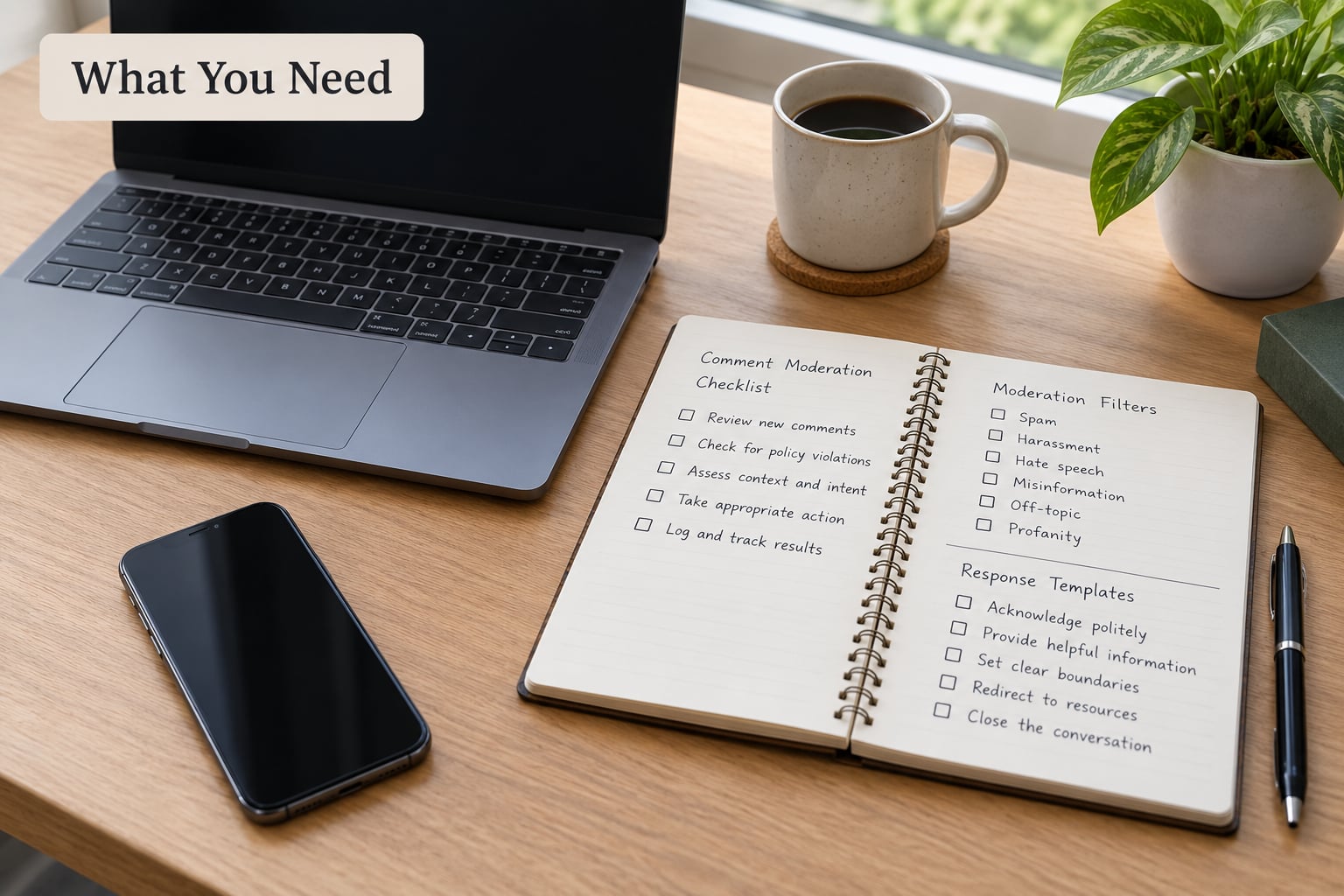
You need less than most creators assume. A login with full access to YouTube Studio is the only requirement, because every moderation tool lives there rather than on the video page.
Before you open the comments, set up four things:
- Community guidelines post. Pin it once and keep it visible. It turns moderation from a personal decision into a published rule, which is much easier to point at.
- Three saved response templates. One for fair criticism, one for repeated complaints, one you never send. Writing them once keeps you from typing something sharp at midnight.
- A moderation log. A note in your phone or a simple doc of what you hid, blocked, or reported, and why. Patterns show up after a few weeks and you will not spot them live.
- A personal boundary rule. Decide now how long you allow yourself in the comment section per day and what you will never reply to. Deciding calm beats deciding tired.
One more thing helps a lot: a second pair of eyes. A friend who watches your videos, or a small creator Discord, gives you somewhere to say “is this actually bad or am I tired?” without explaining your whole channel first.
Step-by-Step
Step 1: Separate Criticism From Abuse
Sorting happens in one pass, and you only need three questions. Does the comment point at something specific in the work, or at you as a person? Does it ask for a change, or does it want a reaction? Does it stay inside the rules you published?
Specific and about the work is criticism. “Your audio was rough in the boss fight and I could barely hear the callouts” is a comment you can act on the same day. Blunt but fair sits next to it: “this video is boring,” with no detail, but no personal attack either. You can ignore those without deleting them, and plenty of creators do.
Abuse is different in kind. Insults, threats, pile-ons, doxxing, or a comment targeting someone’s identity is not feedback no matter how useful the underlying point might be. On a gaming channel, watch for the version that looks like game talk but is really aimed at people: “only console owners with no lives play this.”
Step 2: Check for Missing Context
Before you accept a criticism as fair, check what the commenter could not see. A patched version changes encounter balance. A difficulty preset or assist mode changes everything about a no-hit run. A sponsor segment you disclosed at the start looks very different from a quiet paid insert. Edited highlight footage looks worse than the uncut session it came from.
Keyboard-and-mouse players calling out a controller aim assist problem, or vice versa, is the classic gaming example of a fair point aimed at the wrong setup. A quick note in your reply — the patch number, the difficulty, the input method — does more to defuse a thread than deleting it.
Step 3: Decide Whether and When to Respond
There is no single correct rule, and creators genuinely disagree. In r/youtubers, the top-voted advice is consistent: report, block, do not respond, and ask your audience to ignore it. Other creators, including people running full-time channels, delete and mute and openly ignore the advice to always be the bigger person. Both camps are defensible, because the goal is not a good posture. The goal is a section that still lets other people talk.
So match the action to the bucket. Reply when the comment names something specific and your reply adds information the whole section benefits from. Acknowledge and fix when it is a real error, ideally on camera in the next upload. Hide the thread when a discussion is looping with no new information. Block and report when it is abuse, and do not announce it.
Responding to bait is the one action that reliably makes things worse. A troll whose comment gets a reply has what they came for, and your other viewers get pulled into a fight about you.
Step 4: Write a Calm, Specific Response
A reply that works has three parts: acknowledge the point, say what happens next, and stop. No sarcasm, no question that invites a thread, no defensiveness about your intentions.
Weak: “You clearly did not watch the whole video.”
Strong: “Fair catch — the transition at 6:40 does drop the audio. I will fix it and re-export that section. Thanks for flagging it.”
The second version is shorter, and it gives the commenter nothing to fight. On a gaming channel this is where specificity pays off: naming the timestamp, the patch, or the difficulty setting ends a disagreement that tone alone cannot.
Sarcasm is tempting because it feels clever in the moment. It also gets screenshotted, clipped, and used as evidence that you were aggressive, and the people you were aiming at never read it.
Step 5: Use Moderation Tools Consistently
In YouTube Studio, the paths are Settings > Community > Automated filters for blocked words and hold settings, and Settings > Community > Defaults for what happens to new uploads. Menu labels have moved before, so if a name is different, look for the equivalent section rather than assuming the feature is gone.
Worth setting up: a blocked words list for the slurs and slurs-adjacent phrases your section keeps attracting, hold potentially inappropriate comments for review, and per-upload defaults so a controversial video does not flood you overnight. From a video, the three-dot menu on any comment offers block, report, and hide user from channel. For anything hateful, report first, then block.
Two things creators get wrong here. Deleting a comment deletes the replies underneath it, including people defending you, so hide the thread when the good replies are worth keeping. And if you hire a moderator or accept one, use channel permissions properly — a moderator who can hide almost anything will eventually hide a fair criticism by accident.
Turning comments off entirely is a real option and it costs you the conversation, so treat it as a temporary measure for a video that has become a target rather than a permanent setting.
Step 6: Protect Your Mental Health
This is the step that keeps creators uploading. Check comments on a schedule — twice a day, say, at set times — rather than whenever a notification appears. Turn off comment notifications entirely. Neither is a compromise; both are the difference between reviewing a section and living inside one.
Delegate the mechanical work early. Even one trusted person handling hides and obvious spam takes the volume off you, and on a channel big enough to feel the pain, that volume is the problem. Creators in r/PartneredYoutube describe the job as incredibly stressful largely because comment management never ends.
Take breaks deliberately, and talk to other creators. The loneliness is part of what makes comments land harder. If the effect is showing up as sleep problems, dread before you upload, or a mood that does not lift, that is a reason to talk to someone qualified, the same way it would be in any other line of work.
Step 7: Turn Useful Feedback Into Better Content
Everything the system produces should go somewhere. Add recurring complaints to your moderation log, and when the same audio problem or unreadable HUD shows up three times, fix it in the next upload rather than the next month.
For factual errors, correct them on camera. A ten-second correction in the next video does more for trust than a hundred defensive replies, and it gives the commenter a reason to come back. If a viewer raised something legitimate, tell them what you changed. Closing that loop quietly is how a criticism stops being a complaint and starts being part of the channel’s history.
Common Mistakes
Arguing with every critic. You will lose the argument, lose the thread, and lose the viewers who came to discuss the game. Fix: reply only when your reply adds information the section can use.
Deleting all negative feedback. Blanket deletion removes fair criticism along with the abuse, and regulars notice. Fix: hide threads that add nothing, keep the ones that say something.
Responding defensively. Explaining why you were right shifts the conversation from the video to your character. Fix: acknowledge, state the change, stop.
Revealing personal information. Nothing about your schedule, location, or setup belongs in a reply, however good your point is. Fix: answer the question and close the thread.
Over-moderating real discussion. When a game debate gets heated but stays within your rules, it is usually the section people came for. Fix: set clear guidelines and enforce those, not your mood.
Handling it emotionally at 2 a.m. The comment is still there tomorrow and you will read it better. Fix: fixed check times, notifications off, no comment access after a bad upload day.
Frequently Asked Questions
Should I delete negative comments on my gaming videos?
Only when they break your community guidelines. Abuse, threats, slurs, and pile-ons should be reported and hidden or deleted. Criticism about your gameplay, editing, or opinions should stay, because removing it removes the conversation and your regulars notice. Remember that deleting a top-level comment also deletes the replies under it, including the people defending you.
How do I respond to a comment that says my gameplay is bad?
Ask what they mean, once, or explain the context that was missing. A comment saying your gameplay is bad usually means your positioning, your difficulty preset, or your input method looked wrong to them. Naming the setup or the patch version in your reply ends most of these threads without any defensiveness. Ignore the rest.
How should I handle repeated criticism from the same viewer?
Reply once, politely, then change your behaviour rather than repeating the exchange. If the point is fair, act on it visibly in a later upload so they see the result. If the criticism becomes personal or insulting after your reply, hide the thread and block the account. Repeated criticism from one account is rarely worth more of your time than the video itself.
Can I block someone for leaving an honest negative review?
You can, but it is a heavier tool than most people expect. Blocking removes their comments and stops them replying, and it is a reasonable response to sustained harassment. For one blunt honest comment, leaving it is usually better for the section. Reserve blocking for people who keep escalating after you have engaged, and report hate speech rather than only blocking it.
How do I stop caring about negative comments?
You mostly do not, and chasing that feeling is what keeps you refreshing. What you can change is exposure and timing: fixed check windows, notifications off, and delegation for the mechanical hiding. Creators who describe comment sections as manageable usually talk about systems rather than attitude. If the effect is reaching your sleep or your willingness to upload, treat it as a wellbeing problem worth raising with someone qualified.
What should I do if a negative comment is false or misleading?
Correct the record once, in public, without arguing. State the fact briefly in a reply, or better, address it on camera in your next upload where people will actually see it. Long comment-section arguments about whether something is true mostly attract more arguers. Pin a correction if it is important enough to matter, and let the video do the persuading.
Conclusion
Start with the first action only: open the section, sort ten comments into the four buckets, and reply to none of them today if none deserve it. Notice the absence of arguing. Everything after that — the blocked word list, the hold settings, the scheduled check window, the log of recurring complaints — exists so the first action gets easier each week.