Most wrist discomfort from gaming comes down to three things: a wrist that is not in a straight, neutral line, a mouse or controller you grip harder than the game requires, and sessions that run long without a real break. Fix those three and you remove most of what causes wrist pain from gaming in the first place. Most of the work is done in one setup session that takes about fifteen minutes.
This guide covers mouse-and-keyboard players, console players and mobile players, and it works whether you log two hours a night or ten. I have rearranged my own desk more than once for this, and the changes that actually stuck were the boring ones.
A note before we start: this is general information about comfort and setup, not medical advice. Hands, wrists and nerves are a genuinely tricky area, and if something already hurts, a doctor or a hand therapist is the right call rather than another forum thread.
Table of Contents
- What You Need Before You Play
- Step-by-Step: How to Avoid Wrist Pain From Gaming
- Set Up a Neutral Wrist Position
- Choose Less Strenuous Controls
- Mouse size and grip
- Sensitivity
- Keyboard and controller
- How to Avoid Wrist Pain From Gaming in Long Sessions
- Use Simple Warm-Ups and Mobility Habits
- Common Mistakes
- Gaming and Wrist Safety Tips
- When to Stop Gaming and Get Help
- Frequently Asked Questions
- What is a gamer’s wrist?
- Should I use a wrist rest while gaming?
- Is a lower or higher DPI better for wrist pain?
- How often should I take breaks while gaming?
- Do wrist braces help with gaming wrist pain?
- How do I know if it is carpal tunnel or just arthritis?
- Conclusion
What You Need Before You Play
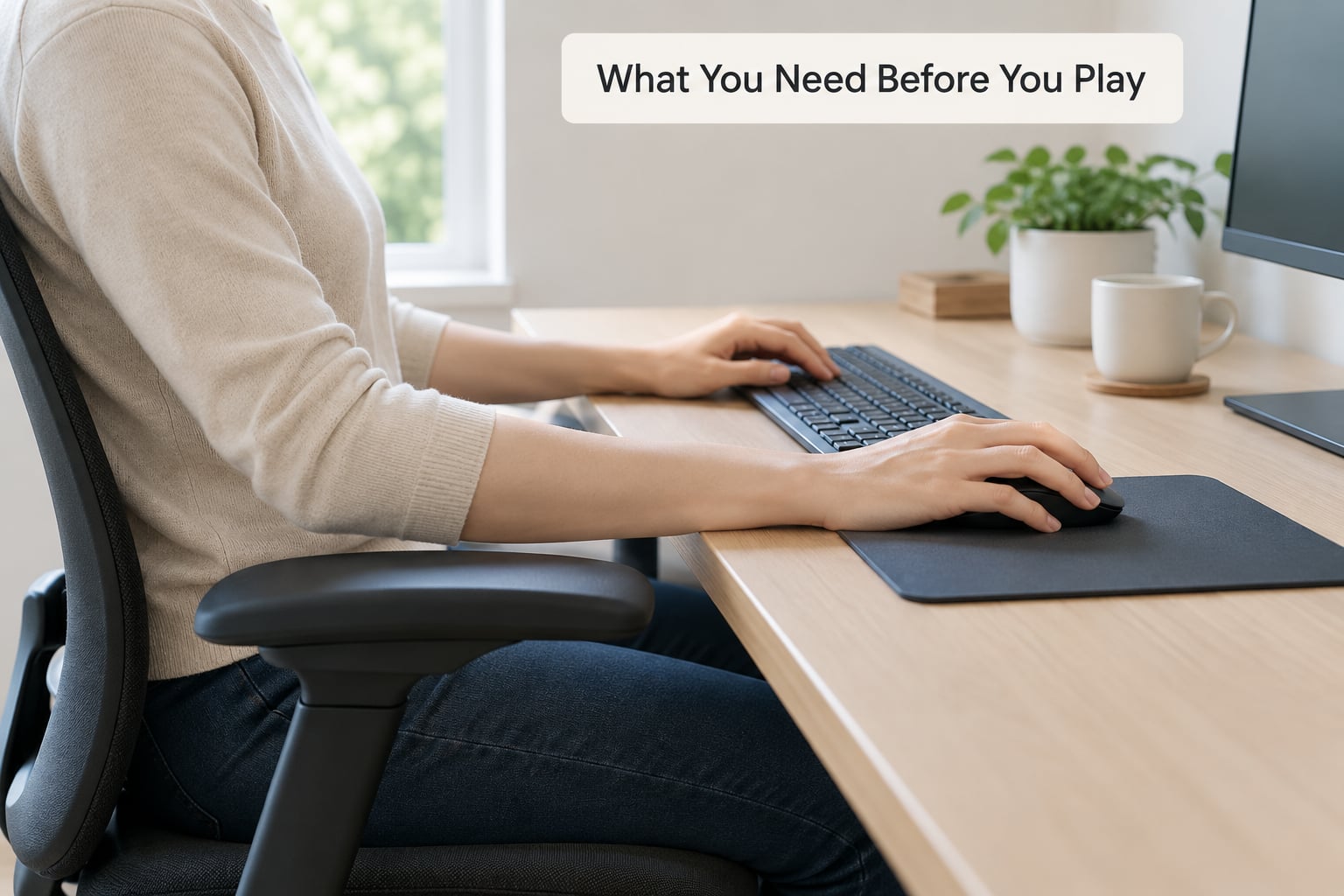
You do not need a new desk or a pile of gadgets to get this right. You need five things, and four of them are decisions rather than purchases.
- A neutral wrist position to aim for. Straight and flat, in line with your forearm, not bent up, down or sharply to the side. This is the single biggest lever you have.
- An input device that fits your hand. A mouse that is not too large to hold without stretching, or a controller you can hold with a loose grip.
- A sensitivity setting that lets you aim mostly with your arm instead of flicking your wrist. Low is easier on the wrist than very high.
- A desk and chair you can adjust so your elbows sit near 90 degrees and your feet reach the floor.
- A timer, even a phone alarm, for breaks.
Optional extras are a split or ergonomic keyboard, a low-friction mouse pad, a soft support for your wrists during pauses, and a wrist brace for heavy flare-up periods. Treat all of those as additions, not substitutes for position.
One caution on the wrist rest, because it confuses more people than anything else here. A hard edge pressing into the underside of your wrist while you actively move your fingers adds compression to the carpal tunnel area, which is the opposite of what you want. Use a soft support during pauses, never as something to press down into while you play.
Step-by-Step: How to Avoid Wrist Pain From Gaming
Set Up a Neutral Wrist Position
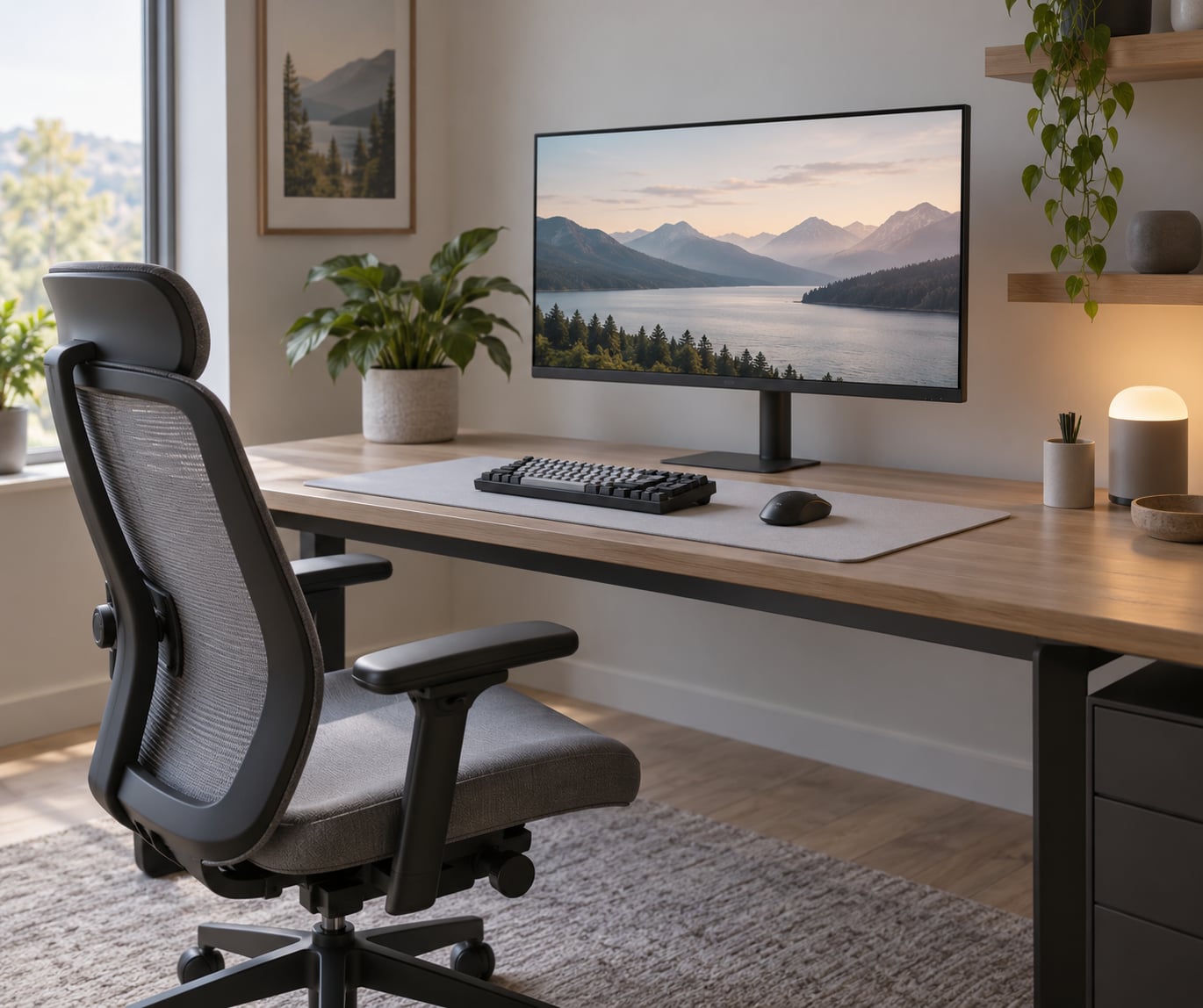
Adjust things in a specific order, because each one changes where the next one should go. Chair first, then desk, then monitor, then peripherals.
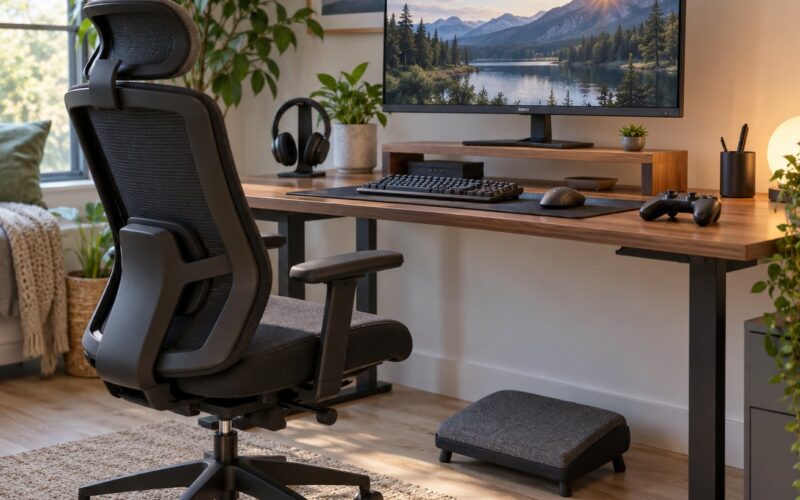
- Chair. Sit back with your shoulders relaxed and dropped. Adjust armrests so your elbows can hang at roughly 90 degrees, and if your armrests sit high enough to lift your shoulders, lower them. Adjust height so your feet are flat on the floor or on a footrest.
- Desk. Set the surface at or slightly below your seated elbow height. If the desk is too high, your shoulders will rise and you will hold the mouse with effort. Laptops raise the keyboard far above where your elbows want it.
- Monitor. Top of the screen at or just below eye level, roughly an arm’s length away. A screen you lean toward pulls your shoulders and neck forward, and that posture drags on the wrist position.
- Keyboard. Flat or tilted slightly away from you, with negative tilt so the back edge is higher than the front. If the keyboard has feet, use the higher setting. Position it centred on your body, not centred on the monitor.
- Mouse. Same height as the keyboard and right next to it. Reaching out to a mouse across the desk loads your shoulder and forces a bent wrist. If you have a laptop, an external keyboard and mouse are close to essential for this reason.
Check your position by looking at your forearm while you hold the mouse. The back of the hand and the forearm should form a roughly straight line. You should be able to wave your hand side to side without your wrist flopping or catching on anything.
The desk edge is the sneaky one. Plenty of players press the heel of the palm into the front edge of the desk while aiming, and that direct pressure over the wrist is a well-known trigger for hand and forearm pain. Slide the keyboard back a few centimetres and check whether you still catch the edge.
Choose Less Strenuous Controls
After position comes the gear you actually hold for hours. The goal is less gripping, less wrist-only movement and less awkward thumb position.
Mouse size and grip
A mouse that is too large for your hand forces you to stretch your fingers and palm across the shell, which fatigues the forearm. Too small and you claw at it with your fingertips. The quick test: after a session, is the ache in your fingers and forearm rather than your wrist? That usually points at mouse size or grip, not desk height.
Grip styles differ mainly in how the hand contacts the mouse:
- Palm grip rests the whole hand on the back of the mouse with the fingers along the sides. Gentle, low finger effort, and the easiest style for smaller hands.
- Claw grip arches the fingers so the fingertips make contact and the palm heel anchors. Precise, but it keeps the fingers working harder, which suits larger hands better.
- Fingertip grip touches the mouse with the fingertips only. Lightest on the forearm and the wrist, and the most common choice for people who play with low sensitivity.
Whichever style you use, lighter is better. Community reports consistently favour lighter mice, and the reasoning is simple: every extra gram is force your forearm has to resist through the whole session.
Sensitivity
This is the part most guides get backwards. High sensitivity means a small hand movement sends the crosshair a long way, so your hand pivots constantly and never gets to move. Dropping sensitivity means a turn takes a full arm sweep, and the wrist stays quiet.
If you feel your wrist working hard through a session, your sensitivity is probably too high for your current mouse. Lower it gradually over a few days and give your aim time to adjust. This is the fix users on r/MouseReview most often report as making the biggest difference, sometimes after other changes had done nothing.
Keyboard and controller
For keyboards, light-force switches reduce how hard you press each key. Split or ergonomic boards angle the forearms outward so the wrists do not have to bend inward to reach WASD, which is the classic position in competitive shooters.
For controllers, the usual complaint is thumb pain on the outer edge of the thumb, which comes from claw grip: pushing the stick back while arching the thumb over the top. Loosen your hold until you can lift your hand off the pad without it feeling glued down, keep your wrists neutral rather than bent outward around the grips, and check that the controller is not too small for your hands. Setting the pad down during cutscenes and menus also stops the habit of holding it through the whole session.
If you use a controller, a low-force pair of stick modules or a slightly taller stick surface can reduce how hard you clamp down. And one option worth testing, which people on r/Ergonomics mention often: play some sessions with the mouse in your non-dominant hand. Some players found that permanently ended their recurring mouse-wrist problem.
How to Avoid Wrist Pain From Gaming in Long Sessions
Even a perfect setup has a limit. Tissues adapt more slowly than your session length does, so the fix for long play is recovery built into the clock rather than a better chair.
A break every 30 to 45 minutes, lasting 5 to 10 minutes, is the interval hand therapy guidance keeps pointing at. Here is how that looks across a four-hour evening:
| Time | What to do |
|---|---|
| 0:00 | Start. Set your grip loosely before the first match, not after. |
| 0:35 | Stand up. Shake your hands out, open and close the fingers, 2 minutes. |
| 1:15 | Full break. Forearm stretches, shoulder rolls, walk around. 7 minutes. |
| 1:50 | Short break. Wrist circles both directions, 2 minutes. |
| 2:30 | Full break. Same as 1:15, plus check your posture again. |
| 3:05 | Short break. Fingers extended against a light band if you use one. |
| 3:45 | Full break before you finish. 7 minutes. |
Two more habits matter as much as the timer. First, check your grip every hour, because tension creeps up during a tense round and nobody notices it happening. If your forearm is burning, your hand is clamped.
Second, build session length gradually. Going from three hours to eight in a weekend after a calm month is a common way to bring on symptoms that setup changes cannot undo.
When something already aches mid-session, ease off for a few minutes rather than pushing through. Reduce session length, take breaks between matches rather than mid-match, and hold off on ranked play. If the pain keeps coming back, that is a pattern worth raising with a professional.
Use Simple Warm-Ups and Mobility Habits
Five minutes before a long session makes the hands feel ready, and ten minutes after a hard one usually feels better than nothing. None of this should hurt.
- Wrist flexor stretch. Arm straight out, palm facing up, gently pull the fingers down and back. Hold 30 seconds, swap sides.
- Wrist extensor stretch. Same arm position, palm facing down, gently pull the fingers down. Hold 30 seconds, swap sides.
- Shake out. Loosen your arms and shake your hands for 15 to 20 seconds. Sounds trivial, works well.
- Finger extension. Loop a light resistance band around your fingers and open your hand against it. 10 reps per hand.
- Forearm rotation. Elbow bent at 90 degrees, rotate your palm up and down slowly. 10 reps each side.
- Shoulder rolls. Slow circles, both directions. Wrist position starts at the shoulder and neck.
Stop any movement that sharpens the symptoms, and do not force range you do not have. Gentle mobility beats aggressive stretching when a joint is already irritated.
Common Mistakes
Almost every wrist problem I have seen traced back to one of these, usually with two or three at once.
- Playing with bent wrists. Extended up while mousing, or bent sideways to reach keys. Fix: elbows at 90 degrees, keyboard centred on you, mouse level and close.
- Gripping with intent. Holding the mouse or pad as though the next input matters more than usual. It all feels normal. Fix: deliberately relax one hand mid-session and notice the difference.
- A desk that is too low. Slouched shoulders, bent neck, wrists doing the compensating work. Fix: raise the chair so your forearms clear the desk edge.
- Pressing into a hard wrist rest. Compression on the palm side of the wrist while moving. Fix: soft support for pauses only, keyboard pushed back from the desk edge.
- Ignoring the first warning sign. A dull ache after a long night is easy to dismiss. Fix: act on it with breaks and lower intensity for a few days rather than waiting.
- Training through pain. Grinding a tournament or ranked block with an irritated wrist. This is how a short-lived ache turns into a problem lasting months.
- Raising sensitivity to reduce hand movement. It feels efficient because you touch the mouse less, but you pivot the wrist far more often. Fix: lower sensitivity and aim with the arm.
- Wearing a brace all day. A brace is useful during painful periods, but constant support lets the forearm muscles stop working. Fix: use it for flare-ups and recovery, then return to normal play without it.
Gaming and Wrist Safety Tips
A few habits worth keeping for the long run, beyond anything above.
- Take your breaks on a timer rather than on how you feel, because how you feel lags behind the damage.
- Re-check your setup whenever you move desks, swap chairs or change keyboards.
- Load your forearms deliberately if you are training to play more hours.
- Do not split your gaming and your day job into two long blocks of identical hand work with nothing in between.
- Treat pain that lasts more than a day or two as a reason to get assessed rather than adjusted.
When to Stop Gaming and Get Help
Short-lived ache that clears after a night’s rest is different from the symptoms below. These belong with a doctor or hand therapist, and this article cannot tell you which condition you have.
- Numbness or tingling in the thumb, index, middle or half the ring finger, especially while holding a controller or after a long session.
- Weakness or dropping things, or a grip that feels weaker than it used to.
- Pain that wakes you at night, or that is present at rest rather than only during play.
- Swelling, or visible change in how the wrist or thumb moves.
- Pain on the thumb side of the wrist that shows up when you lift your thumb or a baby, which is the classic De Quervain’s pattern and a frequent gaming complaint.
- Symptoms that persist for more than a week or two despite rest, or that keep returning.
People on r/eds and the hand therapy clinics cited in search results all make the same point: early symptoms are far easier to manage than ones that have been around for a year. One player described mild De Quervain’s symptoms still lingering a year and a half after gaming contributed to it. If waiting has already become your plan, that is the part worth changing.
Frequently Asked Questions
What is a gamer’s wrist?
Gamer’s wrist is not one diagnosis. It is the informal name for a cluster of repetitive strain injuries that develop from hours of mouse, keyboard or controller use with the wrist held in a bent or loaded position. The usual members of the cluster are carpal tunnel syndrome, wrist tendinitis, De Quervain’s tenosynovitis and trigger finger. If you are unsure which one you have, a doctor or hand therapist can tell you.
Should I use a wrist rest while gaming?
Use it during pauses, not while you are actively playing. A soft support keeps your wrists in a straight line between matches. A hard edge pressing into the underside of your wrist while your fingers are moving adds compression right over the carpal tunnel area, which is the opposite of the goal. Some players on r/Ergonomics trace their pain to the hard wrist rest attached to their old keyboard.
Is a lower or higher DPI better for wrist pain?
Lower sensitivity is generally easier on the wrist. High sensitivity turns a small hand movement into a large on-screen jump, so the hand pivots constantly and never gets to travel. At a lower setting, a turn takes a full sweep of the arm and the wrist stays quiet. Drop it gradually over a few days and give your aim time to adapt rather than changing it in one sitting.
How often should I take breaks while gaming?
Every 30 to 45 minutes, for 5 to 10 minutes. That interval comes up consistently in hand therapy guidance. A short break means shaking out your hands and circling your wrists; a full break means forearm stretches, shoulder rolls and a walk around the room. Use a timer, because how much your hand hurts is a lagging indicator of how much you have actually loaded it.
Do wrist braces help with gaming wrist pain?
They can help during a painful period, by taking some of the load off an irritated wrist. They are not something to wear constantly, because ongoing support lets the forearm muscles stop working and you lose strength when you stop wearing it. Treat a brace as a short-term measure for flare-ups, and use it alongside breaks and setup changes rather than instead of them.
How do I know if it is carpal tunnel or just arthritis?
Carpal tunnel symptoms tend to show up as numbness, tingling or weakness in the thumb, index, middle and half the ring finger, often at night or while holding a controller. Arthritis tends to produce stiffness, aching and reduced range of motion that builds over months, often in both hands. Tendinitis is usually a localised sore spot on the thumb side of the wrist. Only an examination can separate these reliably.
Conclusion
Start with the wrist: chair, then desk, then monitor, then get the mouse level with the keyboard and close enough that you are not reaching for it. Ease your grip and lower your sensitivity so aiming comes from the arm. Put a break every 30 to 45 minutes on a timer, and add a short warm-up before long sessions.
If pain is already there, reduce the load and get it assessed. Numbness, tingling, weakness, swelling or pain that wakes you at night are reasons to see a doctor or hand therapist, and any symptom lasting more than a week or two deserves the same. That conversation takes ten minutes and beats another few months of pushing through.