To spot scams in gaming communities, slow the whole interaction down: verify the person through a separate channel, read every link before you touch it, and refuse any request that moves a trade, a payment or a login off the platform. Most gaming scams run on speed and familiarity, so the habit that catches them is a five-minute pause before you confirm.
Last reviewed and updated in 2026.
Table of Contents
- 8 Red Flags That Give a Gaming Scammer Away
- Why Gaming Communities Draw Fraud So Easily
- What You Need
- Step-by-Step
- Check Who Is Asking
- How to Spot Scams in Gaming Communities
- Inspect Links and Files Safely
- Verify Giveaways and Tournament Prizes
- Check Payment Requests
- Protect Your Game Account
- Ask the Community Without Amplifying the Scam
- Report, Block, and Document
- Buying Second-Hand Consoles, GPUs and Accounts
- Protecting Minors and Shared Family Accounts
- Common Mistakes
- Frequently Asked Questions
- Can legitimate gaming communities send me direct messages?
- Is a giveaway link safe if it was posted in the community chat?
- How do I tell a real tournament administrator from an impersonator?
- What should I do if I shared my game account password?
- When should a gaming offer be treated as a scam?
- Does Steam give back items after a scam trade?
- Conclusion
8 Red Flags That Give a Gaming Scammer Away
- The deal arrived by private message, unprompted, from someone you have never traded with.
- They refuse to trade inside the platform’s own trade window.
- They ask for your password, a one-time code, or an API key.
- There is a countdown, an “act now,” or an explanation for why this offer is unique.
- The reward or profit is far better than anything the market normally pays.
- Payment is requested in gift cards, crypto, wire transfer, or a cash app.
- They want you to download an executable file or run a “fix” tool.
- Pressure to keep it secret, or a blocky new account with praise that nobody earned.
One of these alone is weak. A new trader might just be new, and a countdown is not proof of anything on its own.
Two or three together, and you should stop. The list matters because the order matters more than the individual items: identity first, then the link, then the payment method, then the account security request.
Why Gaming Communities Draw Fraud So Easily
Gaming communities hold four things fraud needs at once: portable digital goods that convert to real value, young users with spending money in the household, a culture of fast peer-to-peer trades, and logins shared across several platforms.
The scale is documented rather than anecdotal. Reports on mobile gaming fraud put losses in the region of 216 million dollars between January 2022 and February 2023, and a Lloyds Bank study of younger gamers found identity theft named by 67 percent of respondents and hacking by 61 percent.
Then there is the psychology. Scammers lean on four levers, and each one has a sentence pattern that gives it away.
- Greed. A price far above market, framed as a lucky break or a mistake on the seller’s part.
- Fear. Your account is being reported, your items are at risk, or you must act before it is too late.
- Urgency. A countdown, a limited slot, or a queue position you are about to lose.
- Authority. A claimed moderator, admin, tournament organizer or support agent telling you this is standard procedure.
Authority is the most effective on gaming platforms, because the community genuinely has ranked roles and real admins. Learn where your own server or game’s official roles are published, and treat any badge you saw only in a private message as decoration.
Scammers also research you before they write. If you post trade threads publicly, your handle, your activity hours, your inventory and your friends list are all readable. A tailored offer is not a coincidence; it is preparation.
What You Need
You need four things before you investigate anything, and none of them come from the suspicious message itself.
First, a way to check a link without opening it. On most desktop browsers, hovering over a link shows the real destination in the status bar; on touch devices, long-press to preview the URL. If your only device is a phone with no preview option, wait and check on a computer instead.
Second, access to a trusted channel that the person messaging you does not control. That means the game’s official website, its official support page, a verified tournament organizer account, or a moderator you already know.
Third, a rough idea of what the platform looks like when everything is normal: the official domain for that game, how its official announcements are posted, and where its support requests actually go. Scammers count on you not knowing this.
Fourth, a clean device with a password manager and antivirus when money or account access is involved. If you suspect malware, check from a different machine rather than the one that opened the file.
Step-by-Step
Check Who Is Asking
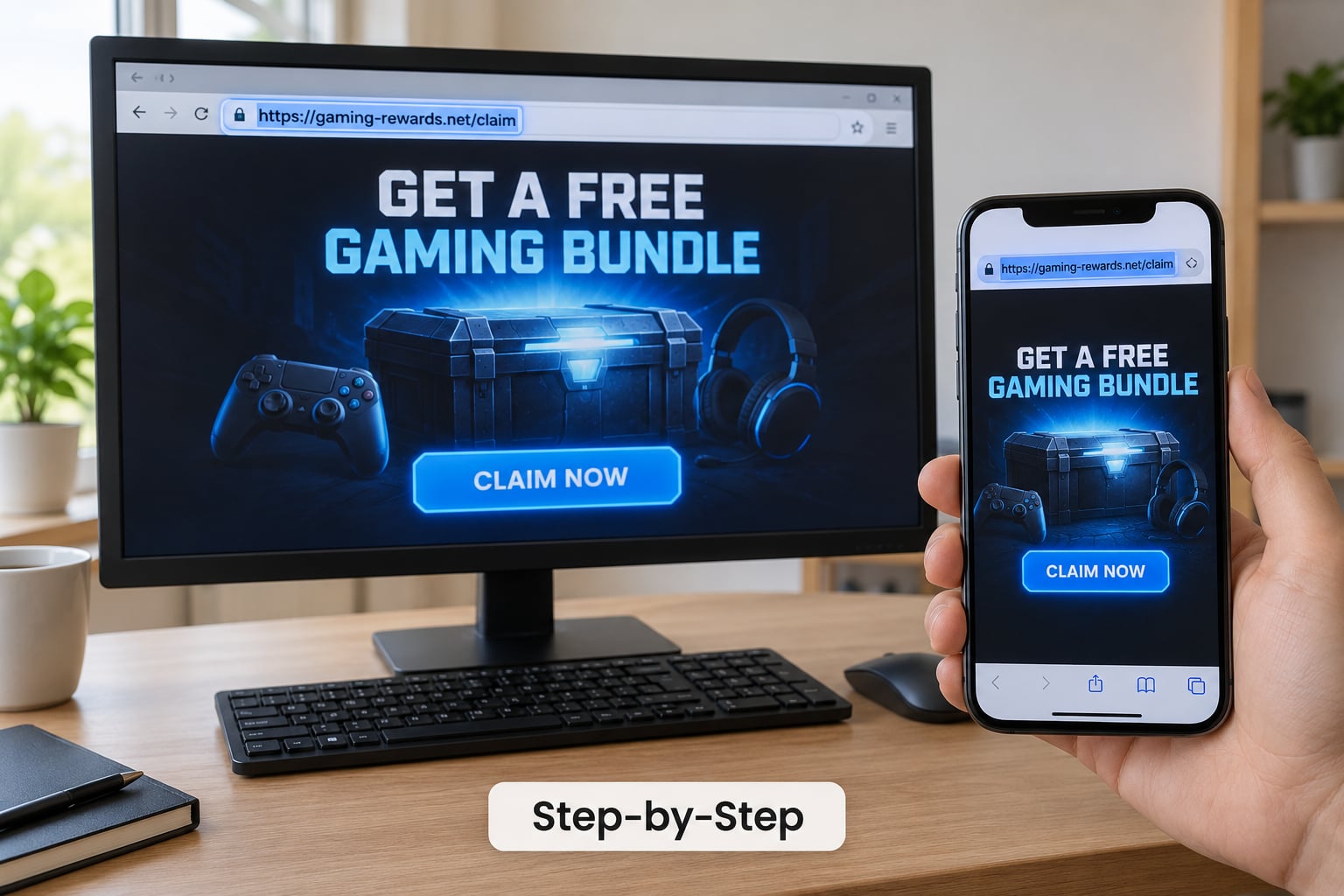
Verify the person through a separate, trusted channel, never by replying to the message that started this. Find the account through the community itself: search their username inside the server or subreddit, check the game’s official site for announced events, and confirm any moderator or admin claim against the server’s own role list.
Watch for usernames that differ from the claimed identity by one character, profile photos copied from a real member, and accounts that appeared yesterday. Impersonating a moderator is common because people trust that badge immediately.
Urgency dressed up as normal community behaviour is the tell. Real moderators do not need you to act in the next four minutes, and real buyers do not need you to keep the conversation private.
How to Spot Scams in Gaming Communities
Run a quick screen on the message before you evaluate anything else. You are looking for pressure, rewards that do not make sense, payment methods nobody normal uses, files nobody needs, secrecy, and any attempt to relocate the conversation.
| Scam type | Where it happens | The tell that gives it away |
|---|---|---|
| Phishing login link | Discord DMs, in-game mail, email | A login page reached from a link instead of the official site |
| Fake giveaway or Nitro lure | Server announcements, group chats | You must “claim” a reward by signing in somewhere new |
| Fake trade or item duplication | Trade windows, marketplace listings | The deal came first, by message, and the item is worth a lot |
| Fake middleman | Anything involving escrow | A stranger introduces a trusted buyer and insists on this method |
| Account sale | Third-party account sites | Funds are held, then more deposits are demanded to release them |
| Overpayment scam | Marketplace and trade listings | You are asked to send part of the money back as a refund |
| Counterfeit item site | External skin and currency shops | The domain is a lookalike of the real one, or a shortened link |
| Fake sponsorship or job | DMs to streamers and creators | Payment arrives first and asks for your bank details in return |
That table is a screening tool, not a verdict. Plenty of honest traders have young accounts, and plenty of scams sit on an established profile that was stolen or bought.
The pattern underneath most of these is the same. Someone researches your public activity, approaches with a tailored offer, and asks you to break one small rule to make it work.
Inspect Links and Files Safely
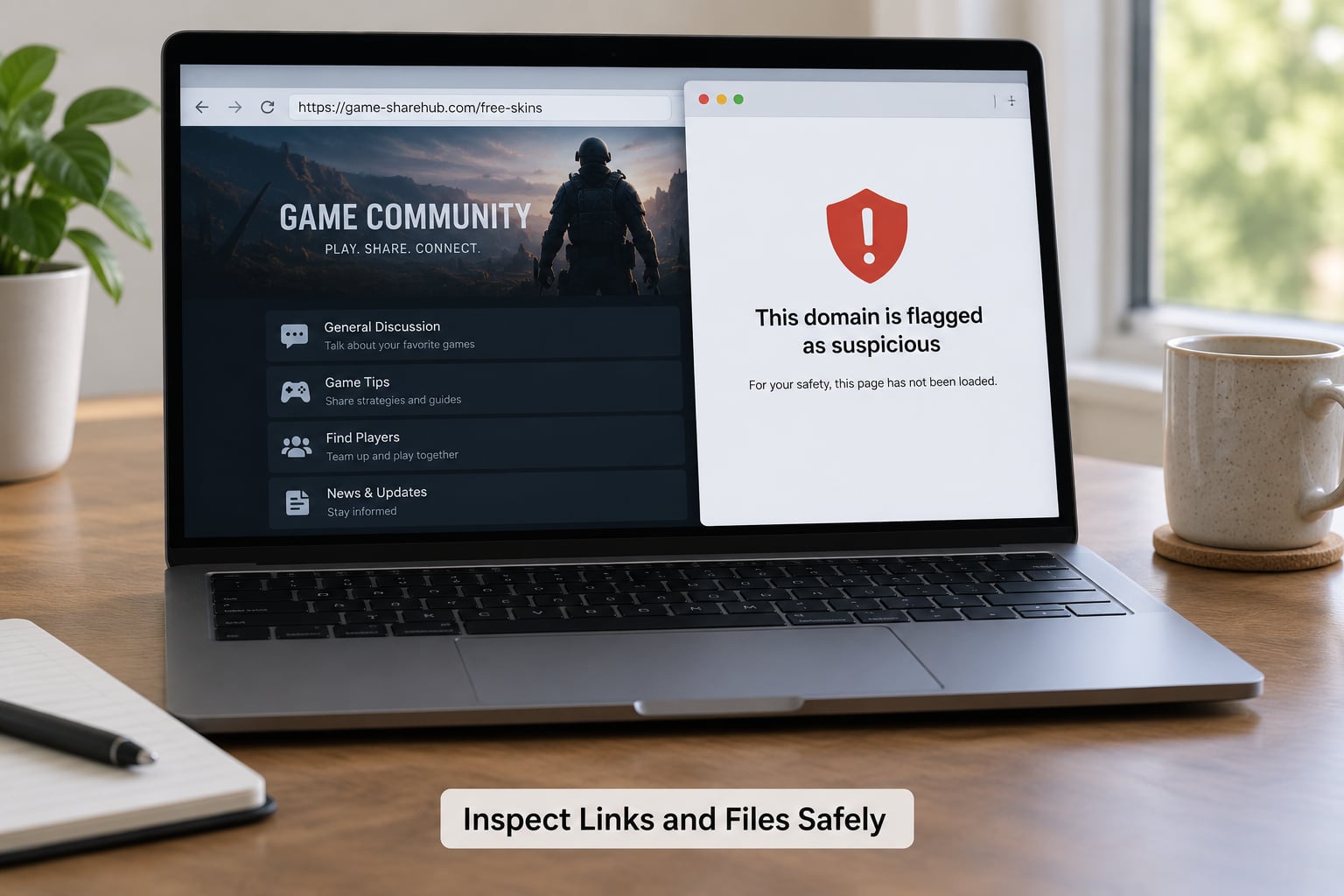
To inspect a URL without opening it, hover on desktop or long-press on mobile, then read the domain from the first part rather than skimming for a familiar word. Lookalike domains swap one character, add extra letters, or lean on a different extension.
Steam’s genuine domain ends in steamcommunity.com; anything with an extra suffix, a hyphen before it, or a country code appended is not Steam. The same test works for any game: type the official domain yourself instead of following the link.
Shortened links remove the information you need to judge them. If a message sends you through one, do not guess where it ends up; open the official site yourself and look for the event there.
Treat any request to download a file, run an installer, or paste a password into a “verification” page as a hard stop. Security software does not exist in a download link, and no legitimate trading process needs your machine restarted.
Verify Giveaways and Tournament Prizes
Legitimate organizers confirm entries and winners through published rules and an official channel, and they never need your password, a verification code, a deposit, or gift cards.
Check the organizer’s history: do past events exist on the game’s official site, and were winners announced publicly? A brand-new account with a huge prize and no prior events is the standard setup.
Read the event rules yourself from the official page rather than from the message. If the message and the official rules describe different entry steps, you are looking at an impersonation.
Check Payment Requests
Any payment request is a reason to stop. That covers crypto, gift cards, wire transfers, cash apps, account trades, deposits, and promises to return your money later.
Sending a small amount to “prove” you are serious does not establish trust. It establishes that you will send more, and recovery after real money moves usually involves your bank rather than the person you paid.
For marketplace sales, keep the transaction inside a platform that offers buyer protection. Off-platform payment removes the record you would need in a dispute and the protection you would need in a chargeback.
Protect Your Game Account
No legitimate person, moderator, or support agent will ever ask for your password or a one-time login code. That sentence covers most account takeover attempts in one line.
Turn on two-factor authentication wherever the game or marketplace offers it, and use the authenticator app version where you can rather than SMS alone. On Steam that means Steam Guard with a mobile authenticator instead of email codes.
Use a unique password for each account, ideally generated by a password manager, and revoke any API keys or app authorisations you do not recognise. Review recent login activity and sign out unknown sessions where the platform allows it.
Change that Steam password everywhere else you reused it. Reused credentials are why one fake login page can take several accounts at once.
Ask the Community Without Amplifying the Scam
Confirm warnings through sources the scammer cannot reach: the game’s official website, verified support channels, established tournament organizers, and moderators you already know.
Do not repost the link, even wrapped in a warning. Every share gives the scammer clicks, fresh victims, and search visibility. Do not pay anyone offering to recover your funds; recovery services are a well-known second wave.
Publicly accusing a legitimate account causes real damage and rarely changes the scammer’s behaviour. If the person turns out to be genuine, they may never see it again.
Useful communities keep shared records. On Reddit and Steam, the long-running r/GameTrade scammer list, SteamRep, r/badkarma and the Universal Scammer List are the tools regular traders use, and reading them takes about a minute.
How you read those pages matters more than whether you read them. A username search on SteamRep shows reports with dates and context, so read two or three and look for a pattern rather than a single accusation. r/badkarma pulls together removed content and moderator actions across Reddit, which catches the accounts that were quietly banned elsewhere.
Those lists are imperfect because a banned scammer simply opens a new account. They are still worth checking, since the names carry over more often than people expect.
On feedback pages, check the reviewers rather than the score. Accounts with years of activity, a mixed history and their own trades are worth reading; a cluster of new accounts created the same week, praising the same seller in identical wording, is rep farming.
Ban evasion is why you check history and not just age. A four-year-old profile that was inactive for three of them, then suddenly started trading right after a wave of removals, deserves a second look.
Report, Block, and Document
Stop interacting first. Everything else is worth less if the conversation continues while you gather evidence.
Save screenshots and the full URL without reopening the link. Record the username, the platform, the date and the payment details if money was involved; these are the parts support will ask for.
Report through the host or marketplace using the in-app or in-platform reporting flow, rather than by arguing with the sender. Then block or mute the account so it cannot reach you again.
Secure the account before anything else: reset the password from the official site, revoke unknown sessions and API keys, and turn on two-factor authentication.
Contact the game or the payment provider promptly if account access or money was exposed. Speed matters most with card payments and bank transfers, where reporting windows are short and evidence disappears fast.
| Where the scam happened | Report through |
|---|---|
| In-game trade or item loss | The in-game report option and the platform’s official support form |
| Discord server or DM | The server’s moderators, then Discord’s in-app report |
| Reddit or forum post | Subreddit moderators, then Reddit’s report button |
| Marketplace or account sale site | The site’s support team and its payment provider |
| Card, bank transfer or cash app | Your bank or card issuer, as soon as you notice |
Buying Second-Hand Consoles, GPUs and Accounts
Hardware and full account sales carry the same patterns plus one extra: the seller’s urgency and a platform with no buyer protection.
On classified marketplaces and local selling sites, meet in a public place, test the console or card in front of the buyer, and never accept a payment method the buyer chose for you. A deposit followed by a balance “before shipping” is the standard setup, and the deposit rarely comes back.
For accounts, assume anything you cannot verify can be recovered by the previous owner. Seller history matters less than what the platform’s terms say about transfers, because most marketplaces treat account sales as a violation.
If a site holds your money and then asks for more before releasing it, stop paying. Sites that work this way usually take several deposits before disappearing.
Protecting Minors and Shared Family Accounts
Children are targeted for the same reasons adults are, with less practice at spotting pressure and easier access to a parent’s payment details. A few settings do most of the work.
Turn off or restrict in-game chat to people outside the friend list where the game allows it, set spending limits in the platform’s own parental controls, and require purchases to be approved rather than pre-approved. Keep the recovery email on the account one you control, not the child’s.
Teach the one rule that generalises: nobody legitimate needs a child’s login code, and a prize is never won by signing into a new site.
Common Mistakes
The most common mistake is clicking a link just to look at it. Opening it is the entire operation the scammer needs, whether it is a giveaway claim or a trade confirm page. Fix: preview the URL, or type the official address yourself.
Second, treating a familiar display name as proof of identity. Display names are free to copy, and a matching avatar means nothing. Fix: check account age and look for the person through the community rather than the message.
Third, believing a wall of positive feedback. New accounts with sudden praise usually mean rep farming, especially where the reviewers are also new. Fix: check whether the accounts giving feedback have real, long histories of their own.
Fourth, paying a fee to recover funds or a lost item. No service can reverse a completed trade on your behalf, and the “helper” is usually working with the person who took it. Fix: report to your bank or the platform instead.
Fifth, arguing publicly with the sender or posting their name. The account disappears and a new one appears tomorrow. Fix: report privately to moderators and let the platform handle it.
Sixth, reporting late. Evidence and money recovery both fade. Fix: secure the account and contact the provider the same day.
A few habits cover most of it: keep trades in-platform, turn on two-factor authentication, use unique passwords, and never let a stranger move a conversation somewhere you cannot see.
Frequently Asked Questions
Can legitimate gaming communities send me direct messages?
Yes, but the message itself proves nothing either way. Genuine communities do use direct messages for trades, scrims, coaching and tournament logistics, and many servers have bots that message members first. The difference is what happens next: a real contact agrees to trade inside the platform window, has a history you can check, and never asks for a password, a code or an off-platform payment. Treat every unexpected message the same way, verify independently, and keep the conversation where the platform can record it.
Is a giveaway link safe if it was posted in the community chat?
Not automatically. Chat channels are easy to post into, and accounts can be hijacked, so a familiar server name does not guarantee the sender wrote that message. Check who posted it, whether the account has been around a while, and whether the same giveaway is announced on the game’s official site or website. If claiming the reward requires signing in through a link the message supplied, you are on a phishing page no matter how trusted the channel is.
How do I tell a real tournament administrator from an impersonator?
Confirm them outside the conversation. Open the tournament’s page on the game’s official site yourself and check the listed organizer contact, or ask a moderator in a channel the sender has no control over. Real administrators will have past events and public winner announcements, and they will never ask for a deposit, a code, or a fee to release a prize. Impersonators lean on urgency and on borrowing authority you cannot verify from the message itself.
What should I do if I shared my game account password?
Change it immediately from the official site, not from any link in the conversation. Revoke unknown sessions and API keys, enable two-factor authentication with an authenticator app if the game supports one, and change that password anywhere else you reused it. Check recent login activity for unfamiliar locations or devices, and remove them where the platform allows. Then report the account to the game’s support team and to anyone you traded with recently, since a taken account is often used to scam the owner’s contacts.
When should a gaming offer be treated as a scam?
Treat it as a scam to be verified whenever it arrives unsolicited by private message, asks for a payment in an unusual form, requires a login link or a download, or is better than the market by a wide margin. A countdown or a request for secrecy turns any one of those into a clear no. You do not need proof before you stop interacting; you need proof before you continue. The safe assumption is that unusual means unverified, and verification happens on the platform’s official channels.
Does Steam give back items after a scam trade?
Generally no. Once a trade is completed through the platform’s trade window, items have moved to the other account and support will not reverse it as a matter of course. That is why preventing the trade matters more than recovering it. If you suspect a stolen or hacked account was used against you, report it to Steam support promptly with the trade link, since account theft cases can lead to the account being frozen. Payment fraud should also go to your bank or card issuer right away.
Conclusion
That is how to spot scams in gaming communities without turning every unfamiliar message into a suspected one: verify identity, links and payment requests through a trusted channel before you do anything else, and keep every trade inside the platform that recorded it.
If you already clicked, shared a code, opened a file or sent money, stop and secure the account right now: change the password from the official site, revoke sessions, and contact your bank or the platform the same day.