Difficulty options change the player experience far more than most players expect. A setting that looks like a small tweak to enemy health can quietly rewrite how a whole game asks you to think, and the wrong preset turns a tense forty-hour story into a chore or a careful walk. Understanding what each setting actually changes is the difference between picking a difficulty deliberately and just clicking the middle button and hoping.
This guide breaks down the systems developers use, what the familiar presets really modify, why accessible settings are not the same thing as an easy mode, and how to choose a tier before you press start. It also covers the parts players rarely ask about: how difficulty touches story pacing, endings, achievements, and whether a game is still worth replaying afterwards.
Table of Contents
- What difficulty options actually change
- Why dynamic adjustment is the setting players argue about most
- How difficulty options change the player experience
- How difficulty options change the player experience, one encounter at a time
- Easy, normal, hard, and expert modes compared
- Assist modes and accessibility options
- Why higher difficulty can improve or damage the experience
- How to choose the right difficulty setting
- Can difficulty change the story or ending
- Difficulty settings and replay value
- Frequently Asked Questions
- Should I play games on easy or normal difficulty?
- Does higher difficulty make a game more fun?
- Are accessibility options the same as easy mode?
- Can I change difficulty after starting a game?
- What is the best difficulty setting for beginners?
- Does difficulty mode affect trophies or achievements?
- Conclusion: Start With Comfort, Then Increase Challenge
What difficulty options actually change
Difficulty options are the settings a player uses to adjust how demanding a game is. They matter because players differ enormously in skill, available time, physical ability, and what they want from a session, and without adjustable settings the same game is a wall for one person and a meaningless walkthrough for another.
Most games implement difficulty through one or more of four mechanisms, and the distinction between them is the single most useful thing to understand as a player.
- Difficulty modes. Presets that change core systems rather than raw numbers: fewer enemies per wave, fewer projectiles on screen, hazards removed, ammunition stocked generously, or enemies that hesitate before striking. Because modes reshape the encounter itself, everything about them stays consistent between playthroughs.
- Difficulty multipliers. A mathematical scaling applied to numbers you can see: enemy health, incoming damage, your own health, experience gained, or the damage you deal. Cheap to implement, and it can produce odd results when a fight was balanced by hand rather than by formula.
- Dynamic difficulty adjustment, or DDA. Systems that read your performance in real time and tune the game to match, either openly or behind the scenes. Some widen your margins when you struggle, some do the opposite and punish success.
- Consumable scarcity. Difficulty expressed through the resource economy: how many healing items drop, whether checkpoints restore them, whether you can carry ammunition back from a failed attempt. This is often the least obvious and most felt system of the four.
The distinction matters because modes and multipliers create very different experiences from the same nominal setting. A mode-based easy option keeps the level layout intact and makes the game readable; a multiplier-based easy option sometimes just makes enemies spongey while they still hit just as hard and just as often. Players notice the difference without being able to name it.
| System | What it changes | Player control | Transparency |
|---|---|---|---|
| Modes | Enemy counts, hazards, aggression, spawn rules | Set once at the start | High, if the game explains it |
| Multipliers | Damage, health, rewards, XP rates | Often locked once started | Usually visible in the menu |
| Dynamic adjustment | Challenge in real time based on your play | Some games expose a slider, many do not | Ranges from obvious to invisible |
| Consumable scarcity | Healing drops, ammo, checkpoint recovery | Rarely adjustable separately | Hard to see, easy to feel |
Why dynamic adjustment is the setting players argue about most
Of the four systems, dynamic difficulty adjustment is the one that changes the relationship rather than the numbers. A static preset tells you up front what you are getting. A dynamic system keeps renegotiating, and whether that feels generous or manipulative depends almost entirely on whether the game tells you it is happening.
Systems that widen your margins when you struggle can feel like the game is helping, particularly in survival and roguelike games where a bad run ends everything. The same system inverted, tightening the challenge when you start winning, feels like the game is taking the achievement away from you. Players are unusually sharp about this distinction, and undisclosed adaptation is the fastest way a developer loses trust.
The practical test is whether the game exposes it. A visible performance-based scaling slider tells you the system exists and gives you a bound on how far it can move. A hidden system that quietly doubles enemy strength after three deaths without a single line of text reads as a different game than the one you agreed to play. Same mechanic, opposite reception, entirely because of the transparency.
How difficulty options change the player experience
What a preset changes mechanically is only half the story. The other half is psychological: difficulty shifts how much tension you carry, how quickly you trust your own decisions, and whether the game is teaching you something or simply punishing you.
Lower settings tend to raise confidence and lower the cost of failure. That sounds like a straight trade, but in practice it changes what you notice. With frequent deaths removed from the equation, you stop hoarding ammunition and start moving, and suddenly the level reads as a space rather than a puzzle you are failing. Exploration opens up because nobody is sneaking forward at a crawl.
Higher settings compress that space. Every encounter becomes a decision with a real cost, and the player starts paying attention to patterns that were invisible before: which enemy breaks line of sight first, whether the armoured one is vulnerable after a dodge, how much noise the floor makes. That attention is where mastery lives.
The psychological term that comes up most in this discussion is flow, the state where the gap between your skill and the task’s demand is wide enough to feel engaging and narrow enough to feel absorbable. Good difficulty tuning keeps a player near that edge. A setting that is too low drops you into boredom; a setting that is far too high drops you into frustration, and frustration has a well-documented habit of ending play sessions early.
Designers also talk about a skill floor and a skill ceiling. The floor is what a new player can realistically reach with the tools the game hands them. The ceiling is what an experienced player can push toward. Difficulty settings mostly move the floor: lower presets raise it, demanding presets lower it.
How difficulty options change the player experience, one encounter at a time
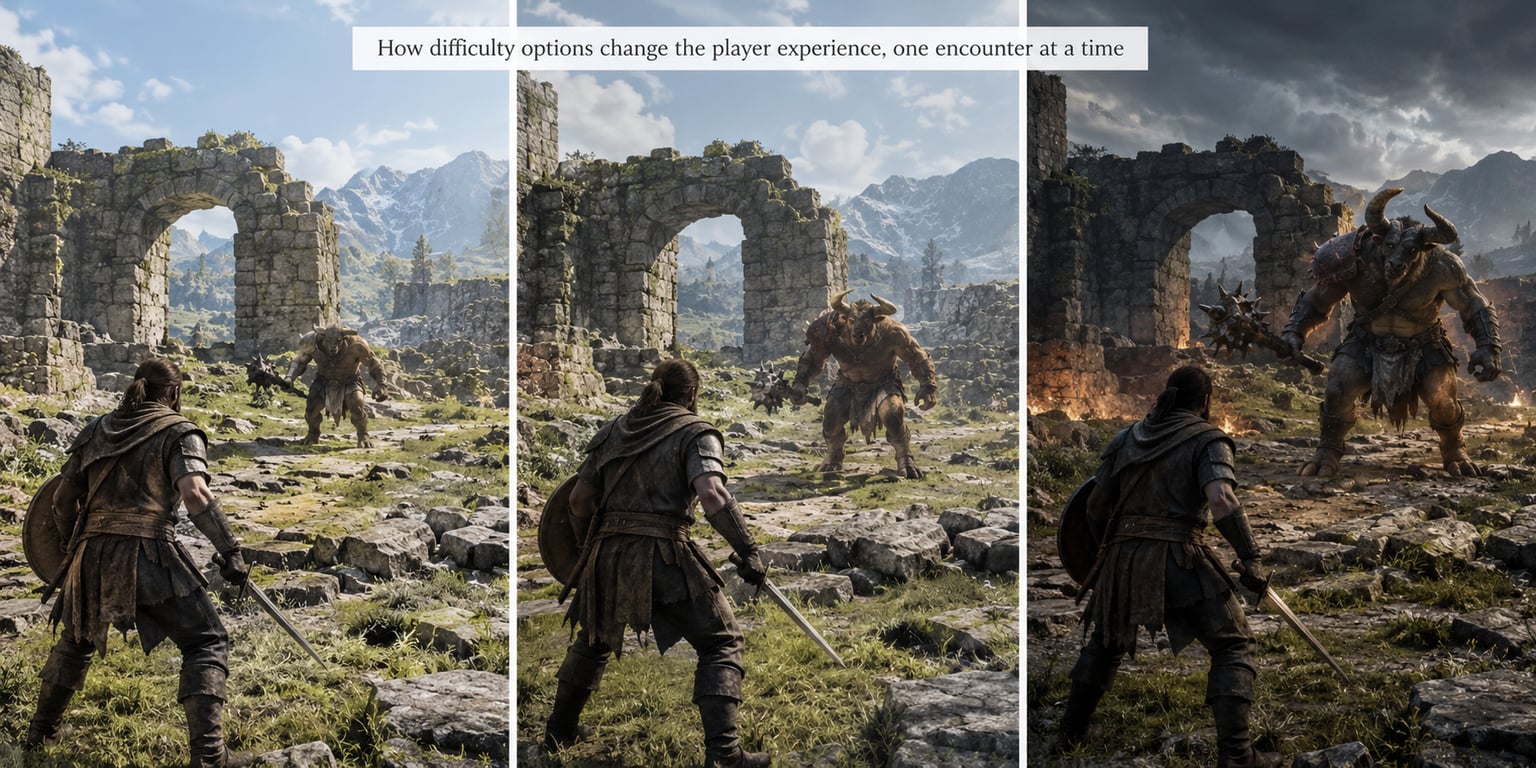
Picture a mid-sized room fight with three enemies and a corridor behind you. On a relaxed preset you might see two enemies instead of three, larger ammo drops, and enemies that telegraph their attacks a beat earlier. The fight takes about forty seconds, nobody dies, and you come out with a third of your health bar down.
On a standard preset there are three enemies, the telegraphs are honest but quick, and health packs do not respawn. If you mess up the opening, you are doing the second half of the fight at half health. That gap is where the tension lives, and it is why many players call this the tier the game was actually tuned around.
On a demanding preset the same room might add a fourth enemy with a ranged attack, tighten the telegraphs, and cut ammo drops. Here the room itself changes: you stop fighting in the doorway, because standing in the doorway now costs more than it gains. The player is pushed into using the geometry, the corners, the door as a tool rather than a feature.
That is the pattern worth noticing. Difficulty does not raise a single wall. It changes which tactics remain viable, and the tactics a game allows are the tactics it is really asking you to learn.
Easy, normal, hard, and expert modes compared
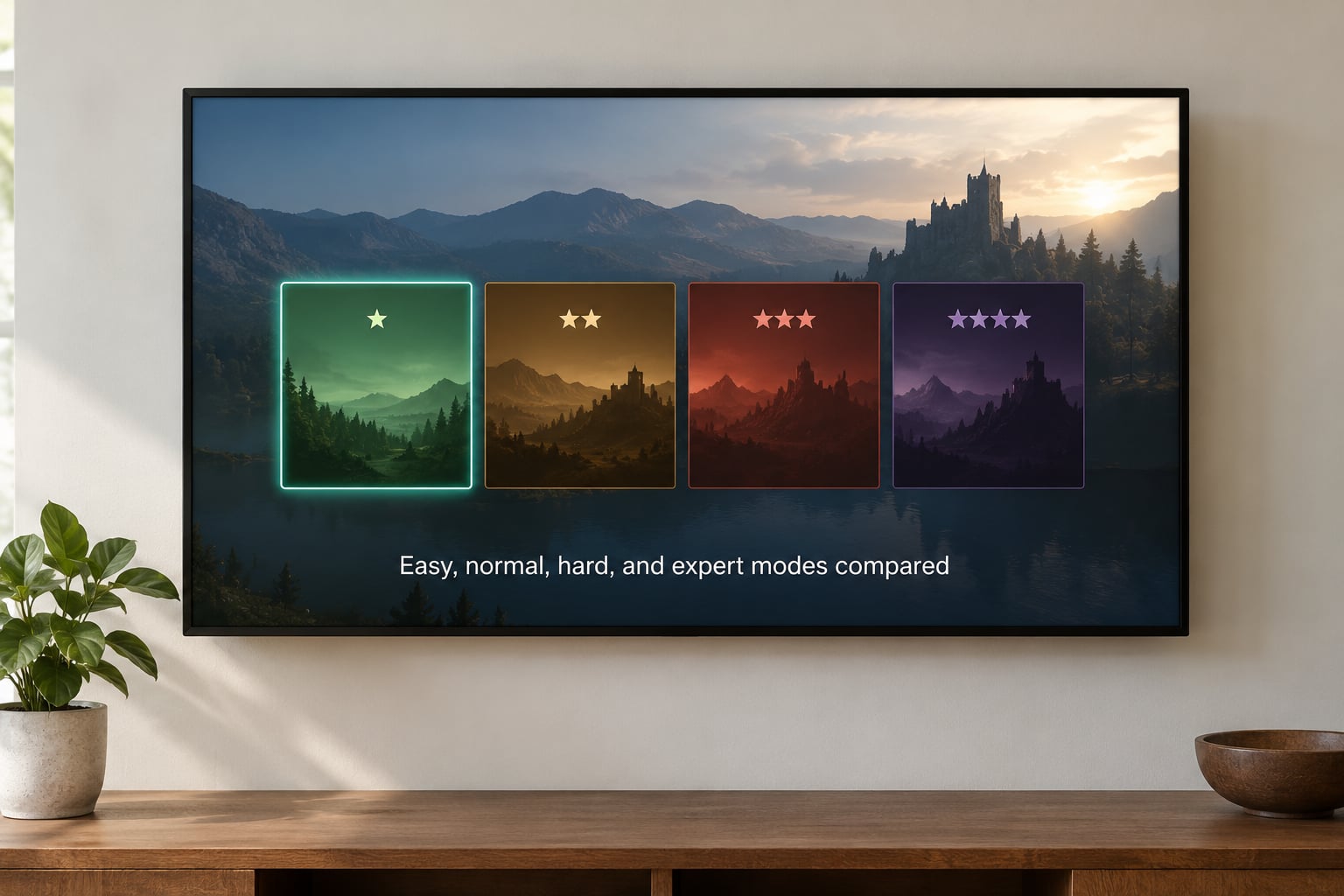
Almost every game offers three or four named presets, and almost every one of those labels is a rough guide rather than a promise. Here is what each tier typically changes and who it suits.
| Preset | Usually changes | Best for | Watch out for |
|---|---|---|---|
| Easy | Damage taken, health pool, ammo drops, enemy aggression, checkpoint generosity | Story-focused players, newcomers to a genre, anyone playing in short sessions | Some games leave the systems intact and only inflate health, so the fight still plays the same |
| Normal | Little or nothing; often the tuned baseline | Most first playthroughs | It is not always the baseline. Plenty of games are balanced so that Hard is the intended experience |
| Hard | Tighter timing, fewer resources, smarter enemy behaviour | Players who know the genre and want the systems exposed | Failure loops that repeat the same five minutes until they are muscle memory |
| Expert or the extra tier | All of the above plus permadeath, limited saves, or stricter scoring | Completionists and players replaying for mastery | Runs abandoned at hour two are common; the time cost is real |
The reason Normal misleads people is that it is a marketing label, not a technical one. Studio budgets go into tuning one preset properly, and it is not always the one called Normal. Players discussing this on gaming forums often point out that some series are plainly designed around a heroic tier, where the studio has said the mid tier is the way the game is meant to be played, while others are balanced so that the default is a gentle introduction and the real game lives one notch up.
There is a related wrinkle: some games balance their easy tier as a punishment rather than a help. If the low difficulty only removes your score multiplier and leaves the difficulty spikes in place, the tier is not easier in any way that matters. That pattern shows up often enough that experienced players warn newcomers away from the setting entirely.
A second reason the middle tier misleads is that difficulty presets are often written by marketing rather than design. Names like Recruit, Veteran, and Legendary were once a three-tier template, and plenty of games kept the labels after replacing them with six granular sliders. Read what the settings actually do, not what the preset is called.
Assist modes and accessibility options
Assist modes are not a softer difficulty preset. They change specific systems without rewriting the game, which is why they let players with different needs play the intended experience rather than a simplified substitute for it.
The granular settings worth knowing about include:
- Aim assistance with adjustable strength. Sticky or snap targeting that you can dial from light to strong, rather than a binary on-off switch.
- Damage scaling. Reducing incoming damage by a percentage you choose, so the fight keeps its shape but tolerates slower reaction times.
- Waypoint and objective assistance. Markers, compass guidance, and quest hints that remove the backtracking grind without touching combat.
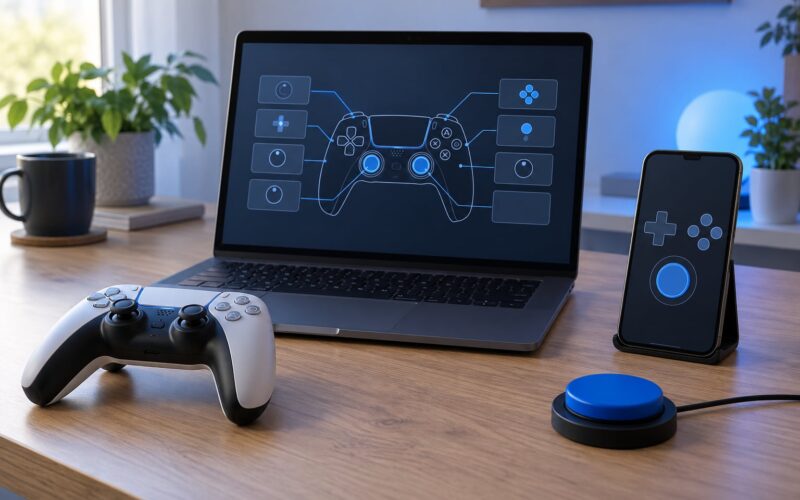
- Remappable controls. Full rebinding of every input, plus alternate schemes for one-handed play or for players who cannot hold a button and a stick at once.
- Visual and audio options. Reduced or disabled flashing, a slider for background motion and screen shake, colourblind filters, subtitle size and background opacity, and mono audio output.
- Holding and toggle options. Turning hold-to-sprint or hold-to-crouch into toggles, which cuts real cognitive load during busy encounters.
- Individual difficulty toggles. The most useful feature of all: enemy damage, enemy health, your health, and aim assist each adjustable on their own, so you can soften one axis while keeping the challenge in another.
The Last of Us Part II is the benchmark most players measure other games against here, largely because it separates these systems into independent toggles instead of tying them to a difficulty label. Players point to it constantly when arguing that accessibility settings should be standard, and other studios have quietly shipped similar menus in response.
What makes fake accessibility obvious is when a studio announces generous settings and ships only enemy health inflation. If a lower difficulty option does not change behaviour, timing, or resource rules, it is a reskin of the same fight. That is not a difficulty ladder, and players who notice tend to describe it as dishonest rather than merely disappointing.
Why higher difficulty can improve or damage the experience
Demanding settings are not automatically better, and they are not a test of worth. They are a different product, and they pay out in specific ways.
What higher difficulty gives you:
- Mastery. Learning a system until it stops costing attention. The moment a boss stops being a coin flip and starts being a conversation is the best feeling in action games.
- Strategic thinking. Resource pressure forces real choices about what to keep, what to spend, and which fights to skip.
- Discovery. Hidden systems, secret routes, and alternate dialogue often sit behind higher presets, not behind exploration alone.
- A reason to replay. A demanding run gives a completed game a second shape, which is the cheapest replay value a developer can offer.
- Respect for the design. Some players simply want to see the version of the game the combat was built for.
What higher difficulty takes away:
- Time that felt wasted. A run that stalls at a difficulty spike for an evening is expensive, and unlike a combat death it produces no story to show for it.
- Opaque failure. When you cannot tell whether you misread the attack pattern or simply lacked damage, the game stops teaching and starts obstructing.
- Creativity. Anti-cheese mechanics that remove an annoying exploit can also remove the only strategy you had, leaving a tired loop that offers nothing new.
- Variety. When every encounter demands pixel-perfect input, the exploration and story sections start to feel like waiting rooms.
- Completion. Some demanding tiers lock out endings, weapons, or collectibles entirely rather than gating them behind more work.
The dividing line is fairness. A fair difficulty asks you to learn the rules and then execute them. Artificial difficulty hides the rules, changes the timing without warning, or punishes the same mistake twice in a row without letting you respond to the correction.
Bad implementation is a common culprit and players call it out constantly: sluggish controls, unreadable animations, enemies with longer effective range than the player’s, and stuns that cancel recovery. Those problems are the difficulty, regardless of what the menu says. A game with excellent feel on hard will beat a stiff game on easy every time.
How to choose the right difficulty setting
Pick the tier that matches your goal for this playthrough rather than your pride. A useful order of operations looks like this.
- Name the goal. Story and atmosphere, full completion, competitive play, or mastery of the combat. The first two reward accessibility, the last two reward demand.
- Match the tier to the genre. Fighting games, precision platformers, and roguelikes are usually unforgiving by design, so start a tier below where you feel comfortable. Open-world RPGs and adventure games usually have forgiving defaults and can absorb a harder tier.
- Look for granularity first. A game with independent toggles lets you start mid and adjust one axis at a time, which removes most of the risk in guessing.
- Account for your time. Demanding modes cost hours. If you have a dozen evenings, that is the budget the setting has to fit inside.
- Check whether the tier can change. Games that let you adjust difficulty mid-session remove the whole problem. Those that lock it in place deserve a more cautious choice.
- Start one below your instinct. Bumping up is easy; recovering a save you ruined because the opening was brutal is not.
Adjust mid-run when the curve, not the combat, is the problem. If you are dying to the same group encounter for the fourth evening, drop a tier rather than grinding. And if a game is locked in, remember that many titles let you start over cheaply, and some of them carry an unlock that makes the next run easier.
Genre is worth a little more detail here. In RPGs, higher difficulty usually shows up as enemies that hit harder and scale with your level, so your build matters more than your reflexes. In shooters, difficulty mostly manifests as enemy accuracy and reaction speed, which makes aim assistance the setting that matters most. In fighting games, difficulty is rare and instead delivered through the training mode. In strategy and survival games, it is usually enemy AI competence and permadeath, the two settings that change a run more than any damage number.
Can difficulty change the story or ending
Yes, in some games, and the effect is usually indirect. Difficulty rarely rewrites a plot, but it changes which scenes you see, how fast you move through them, and occasionally whether a character is alive at the end.
The most common effect is pacing. If a fight takes six attempts on hard, that fight is now a substantial part of your memory of the game. If it takes one attempt on easy, the story moves on and the scene becomes a brief stop rather than the moment you describe to friends later.
Dialogue reacts too. Games with reactive companion AI often have characters comment on how long you have been struggling, on how often you died, or on how cleanly you handled a fight. Some titles gate alternate scenes behind survival, and a few will let a character die permanently based on how a fight went.
Items and unlocks are the other lever. Higher tiers frequently shift item drops, tighten ammunition, or place upgrades behind challenges rather than behind progress. That reshapes your character build along with your route.
Not every game does any of this, and that is worth checking before you commit. A large number of titles treat difficulty as purely mechanical and change nothing about the narrative. Look for a difficulty mention in the story or gameplay menus before you assume a setting will affect the ending.
Difficulty settings and replay value
Replayability is where difficulty design gets judged hardest, because a completed game has to earn your second run. Higher tiers create that reason more reliably than almost anything else, and the usual drivers are familiar: shorter routes, new boss strategies, better rewards, collectible conditions that only trigger on the demanding preset, and leaderboards that separate players by tier.
New game plus modes lean on this heavily. Carrying weapons and stats into a harder world is a cheap way to make an old map feel fresh, and it only works if the first run left you under-equipped on purpose.
The counter-case is worth saying out loud. If you finish on the lowest setting and the game locks its best content to demanding play, your replay value is genuinely lower, and a finished save becomes an endpoint rather than a starting point. That is a legitimate outcome, not a failure, but it is a decision the player should make knowingly.
Competitive multiplayer inverts the calculation entirely. Difficulty settings there affect matchmaking pools, ranking, and sometimes even input or network options, so they are a competitive choice rather than a narrative one.
Frequently Asked Questions
Should I play games on easy or normal difficulty?
Start on normal for most genres, since that is the tier most studios tune first. Pick easy if you care about story and atmosphere rather than combat mastery, if the genre is unfamiliar, or if you play in short sessions. Pick a tier below your instinct when starting anything with punishing checkpoints, and remember you can always raise it later in games that let you change settings mid-run.
Does higher difficulty make a game more fun?
It does for some players and not others, and the difference is usually about what you want from the fight. Higher settings expose more systems and reward mastery, which is deeply satisfying to players who enjoy learning. They frustrate players who want to move through a story. Judge it by whether the challenge feels readable, not by how many times you have died.
Are accessibility options the same as easy mode?
No, and the difference matters. An easy preset usually rewrites whole systems at once, including rewards and scoring in some games. Accessibility settings tend to change one thing at a time, such as aim assist strength or incoming damage, so the game keeps its intended shape. Accessibility lets more players play the version the designers built, which is why it is a different category rather than a softer difficulty rung.
Can I change difficulty after starting a game?
Many games let you adjust difficulty from the pause menu or options screen at any time, though the change sometimes applies only from the next area. Others lock the choice at the start, which is more common in roguelikes, fighting games, and precision platformers where the difficulty is part of the scoring. Check the settings menu before you commit, and look for an unlock that reduces later runs if you are unsure.
What is the best difficulty setting for beginners?
For most beginners, one tier below the one you think you want is the safest bet. In games with granular options, start in the middle and adjust single axes as needed. Avoid any title with brutal checkpoints until you have seen the shape of the run, and keep an eye on how long the first difficult encounter takes. If it costs more than a couple of evenings, drop a tier rather than pushing through.
Does difficulty mode affect trophies or achievements?
It often does. Many games gate platinum or top-tier trophies on the hardest preset, restrict certain collectibles to demanding modes, or mark an entire playthrough as complete only after finishing on the toughest setting. Some games flag your difficulty choice in the save itself, so switching presets partway can lock you out of a related list. Read the trophy requirements before you start a run you care about finishing.
Conclusion: Start With Comfort, Then Increase Challenge
Choose the setting that matches what you want from the playthrough, not the one that sounds toughest. If you are chasing story, atmosphere, or completion, start relaxed and turn granular accessibility options up wherever the game offers them. If you want to learn a combat system properly, start one tier below comfortable and climb as the patterns land.
Adjust gradually. Change one setting at a time, give it a few sessions, and judge the result by whether the game is readable rather than by how many times you died. Updated for 2026, the best difficulty setting is the one that keeps you playing.