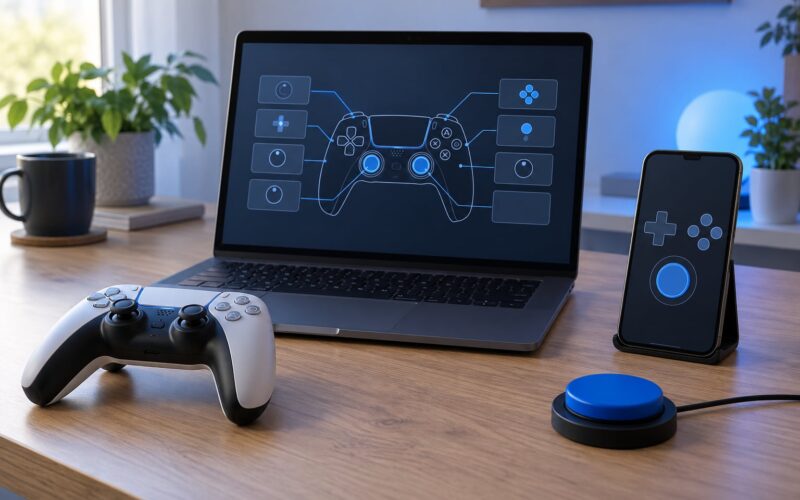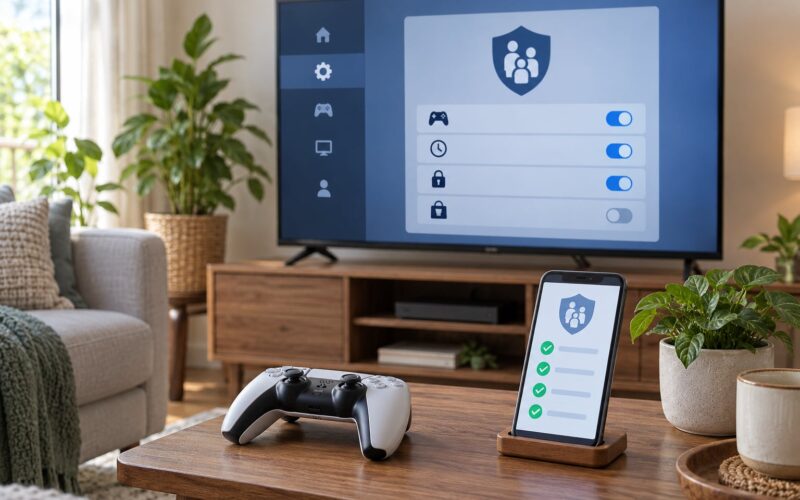
To manage screen time for gaming families, treat it as a scheduling problem rather than a discipline problem. Write down what a real week of gaming looks like, pick one limit based on age and school demands, back it up with the controls already built into your console, and review it with the kids every week. Most of the friction comes from rules nobody agreed to, enforced by whoever has the loudest voice at bedtime.
Gaming households are harder than tablet households, for one simple reason: the screens in the house belong to everyone. The console the kids play on is also where a parent finishes work emails, and the phone in the evening is the same phone a parent scrolls on at 11pm. Enforcement is harder when the person setting the limit plays for three hours on a Saturday. Our plan accounts for that, because pretending it is not happening is how families end up with rules nobody believes.
This guide was updated for 2026. The steps below work for children from about age 5 up through teens, on PlayStation, Xbox, Nintendo Switch, phone, and PC, and the menus differ by console model and system software version, so treat the platform details as a map rather than a manual.
Table of Contents
- What You Need
- Step-by-Step: How to Manage Screen Time for Gaming Families
- Step 1: Measure the Current Gaming Routine
- Step 2: Set Age-Appropriate Boundaries
- Step 3: Agree on Rules Before a Conflict
- Step 4: Use Console and Parental Controls
- Step 5: Protect Sleep, School, and Daily Movement
- Step 6: Review and Adjust the Plan
- Common Mistakes and Better Approaches
- Sudden confiscation without warning
- Arguing during a live match
- Identical limits for every sibling
- Gaming as the only reward
- Ignoring sleep to avoid a fight
- Treating all gaming as the same problem
- Parents who game enforcing limits they do not follow
- Frequently Asked Questions
- How many hours a day should a child be allowed to play video games?
- What is the 3-6-9-12 rule for screen time?
- What is the 7-7-7 rule for parents?
- How do I stop gaming tantrums at bedtime?
- When should I ask a pediatrician or teacher for help with gaming?
- Conclusion
What You Need
You need less than most parents expect: about an hour of setup, one honest conversation, and a decision about which boundaries are not up for negotiation. Gather the following before you change anything.
- Each child’s age and school demands. A fourth grader with a 45-minute bus ride has a different realistic evening than a high school junior with clubs.
- One week of actual data. Every console and phone can show you play time or app time. Seven days is the shortest window that shows you a weekend pattern.
- Access to the account settings. You need the family PIN or account password for the console, the family account on the store, and the child’s profile. If you do not have these, request a password reset before anything else.
- A stop time that fits bedtime. Work backwards from lights out. A child who falls asleep at 9:30pm should be off the console around 8:30pm, not 9:00.
- A replacement activity. Subtracting gaming without adding anything is the version of this plan that fails by week three.
- One written page of rules. A single sheet both adults and every child have read removes about half of the arguments.
Step-by-Step: How to Manage Screen Time for Gaming Families
Step 1: Measure the Current Gaming Routine
Record what actually happens before you decide what should happen. Check the console’s activity or playtime report on your child’s account for the past week, then write down the start and end time of each session. Do the same for school nights and weekend days separately, because a family that plays nine hours across a weekend and does nothing on a Wednesday has a different problem than one that plays two hours every night.
Look for interference, not just totals. The number that matters is the session that runs past bedtime, the one that starts before homework is finished, or the afternoon that disappears into a game after school. Note the rough times of meals, sports practice, and bedtimes so you can see what gaming is crowding out. Parents running this exercise often find the total hours are not the headline; the 9:45pm finish on a school night is.
Step 2: Set Age-Appropriate Boundaries
Set a limit that is specific enough to enforce and generous enough to be fair, then write down whether it is a weekday number, a weekend number, or a fixed stop time. Do not adopt a rule because it is popular; the popular rules are ceilings, not targets.
The most widely used framework is the 3-6-9-12 rule, which sets a maximum of 3 hours of general screen time at age 3, 6 hours at 6, 9 hours at 9, and 12 hours at 12. Those numbers are upper limits, and at the top end most pediatric guidance treats them as a boundary for all screen use combined, not a gaming quota. For school-age kids, most families land well below them.
| Age | 3-6-9-12 ceiling (all screens) | A reasonable school-night starting point | What it protects |
|---|---|---|---|
| 5 and under | 3 hours | 45 to 60 minutes of guided play | Language, sleep, and adult-supported play |
| 6 to 8 | 6 hours | 60 to 90 minutes | Reading, outdoor play, sleep |
| 9 to 12 | 9 hours | About 90 minutes on school nights | Homework, sport, friends in person |
| 13 to 17 | 12 hours | 1 to 2 hours school nights, longer at weekends | Sleep, school, part-time work or clubs |
Adjust in two directions. If your child does not sleep, do homework, move, or socialize, reduce first and add structure second. If a child finishes every chore, is not tired, and asks for more, an extra 30 minutes on Friday evening is easier to manage than a fight on a Tuesday. Siblings do not need identical numbers: age, sleep needs, and whether gaming is mostly social or mostly solitary all shift the right answer.
The second framework worth knowing is the 7-7-7 rule, which pairs roughly 7 hours of sleep, 7 meals, and 7 hours of movement or activity in a day. It is not a gaming rule, and it is useful precisely because it treats gaming as one line item in a full day rather than the whole conversation.
Step 3: Agree on Rules Before a Conflict
Write the rules down when everyone is calm, not when a match is ending badly. Agreement matters more than strictness here: kids comply far more reliably with a limit they helped set, and you avoid re-litigating the same point every evening.
A one-page family gaming agreement should cover these points:
- Start and stop times, stated as clock times rather than “one more game.”
- How a session ends. The 20-minute warning, and whether an unfinished match finishes first. A common workable rule is that a match started before the warning finishes, but nothing new starts.
- Overnight play. Consoles left running or logged in overnight in a bedroom are the single most common rule break.
- In-game purchases and spending. Locked by default, unlocked by an adult in person.
- Chat and friend requests. Who can add whom, and what happens when someone unknown sends an invite.
- Which controls are on. Name the timer, the content level, and the purchase lock, so the rules are technical facts rather than promises.
- Consequences. Predictable and proportionate, stated in advance: a session skipped, or gaming moved to a weekend slot, rather than a week of nothing.
Say out loud which rules are fixed and which are negotiable. Sleep, school, and purchases are fixed. A birthday weekend or a school holiday are negotiable. Parents who skip that distinction end up arguing about the wrong thing every single time.
Step 4: Use Console and Parental Controls
Verbal rules fail because they depend on the adult being awake and willing. Console controls work even when you are cooking dinner, and parents on parenting forums consistently report that enforcing a limit at the account level changes the argument from “you never listen” into a predictable event. Set them once, from the family account, and let the device do the stopping.
| Platform | Where the settings live | Turn on first |
|---|---|---|
| PlayStation | Family Management on the console or in account settings online | Daily playtime, restricted hours, content level setting, purchase password |
| Xbox | The family settings area in the console’s account menu or the mobile app | Playtime limits, purchases blocked, content filters, chat and messaging settings |
| Nintendo Switch | The parental controls app for the console on a phone | Playtime limit per day, restricted hours, in-game purchase lock, content level |
| Phone and PC | Built-in screen time or digital wellbeing tools on the device | App timers, a downtime schedule, purchase approval, content and age ratings |
Menu names and their location shift with system software updates, so open the settings on the actual device and look for the family, parental, or account section rather than following a screenshot from a year ago. Three settings do most of the work: a daily playtime cap, a restricted-hours schedule that locks the console overnight, and a purchase password. Add a content rating ceiling so the account stops suggesting titles above the agreed level.
Tell your child when you set these and why. Controls discovered mid-argument feel like surveillance; controls announced as part of the family plan feel like a system.
Step 5: Protect Sleep, School, and Daily Movement
Sequence matters more than totals: homework and any sports or chores come first, then gaming, then a wind-down with no screens in the last half hour before bed. Devices charge outside the bedroom, or in the common room at a fixed time, and a console that stays logged in overnight is a rule waiting to break.
Build the warning into the session rather than the fight. Give a 20-minute warning with a specific stop time, then again at 10 minutes. Where a game has natural break points, use them: between rounds, between levels, at a save screen. Ending at a break feels fair in a way that pulling power mid-climax does not, and it teaches the child to read their own stopping cues.
Protect the day around the session too. Keep meals off the screens, aim for some outdoor activity or sport most days, and avoid gaming as the automatic fallback every time a child is bored. A weekend block is usually easier to sustain than scattered daily limits, so pick one model and hold it for a month before judging it.
Step 6: Review and Adjust the Plan
Put a 15-minute weekly check on the calendar with everyone in the room. Look at the activity report together rather than policing from a distance: what the child actually played, how long sessions ran, and how many times the timer stopped a session. Ask what felt unfair and what felt too easy.
Adjust deliberately rather than reacting. Signs the schedule is unrealistic include constant end-of-session conflict, sessions that get cut off mid-match every night, homework sliding for weeks, or a child asking for time you would rather give. Signs the limit is too tight include constant bargaining, secretive play, or attempts to play on devices you do not know about.
As children get older and more capable of self-regulating, hand over the monitoring: let them set their own alarm, let them see their own numbers, and keep the purchase lock and content ceiling as long as it makes sense. Revisit the plan each September and each birthday rather than drifting.
Common Mistakes and Better Approaches
Most families do not fail at this because they picked the wrong number of hours. They fail in predictable ways, and each one has a straightforward correction.
Sudden confiscation without warning
A surprise week-long ban after a fight teaches your child one thing: to hide the console. Gradual reduction works better than a cold turkey for most households, and when a hard cut is genuinely necessary, take the console out of shared rooms rather than leaving it where it can be played in secret.
Arguing during a live match
Nothing is lost by scheduling the conversation for after the session. If a match is in progress, the disagreement waits; if you need to talk now, the answer is the same one you would give tomorrow morning.
Identical limits for every sibling
A 10-year-old and a 15-year-old do not have the same sleep, school, or social needs. Give each child their own number, stated publicly and without comparison, so the older one is not treated as a bad example in front of everyone.
Gaming as the only reward
If gaming is the only thing on the table, every limit you set feels like a punishment. Use it as one reward among several, mixed with free time, a later bedtime on a Friday, or choosing the family film, so removing it does not become the entire relationship.
Ignoring sleep to avoid a fight
This is the limit worth holding even when it costs you an evening of goodwill. Back up the bedtime rule with the console’s restricted-hours schedule and an overnight logout, and accept that a few hard nights come before it settles.
Treating all gaming as the same problem
A cooperative puzzle game with a parent, a creative building game, and a late-night ranked session are three different activities. Rating labels tell you about content, not about whether the game is social, stressful, or finished at 1am, so make decisions per game rather than per hobby.
Parents who game enforcing limits they do not follow
This is the honest one. Families where both adults play report the most enforcement friction, because the stop time applies to everyone in the room. Write yourself into the agreement with the same start and stop times you set for your kids, and put your console on the same restricted-hours schedule. You do not have to quit gaming; you have to stop pretending the rule is for the children only.
A few smaller habits help more than they sound. Pick tech-free zones, keep a charger in the kitchen instead of the bedroom, and give one evening a week with no gaming anywhere in the house so it stops being the default background. If you want more background on setting up accounts correctly, our guides to console settings and gaming habits cover the technical side in more detail.
Frequently Asked Questions
How many hours a day should a child be allowed to play video games?
There is no single number, and most guidance treats hours as a ceiling rather than a target. A reasonable starting point for school-age children is 60 to 90 minutes on a school night and around two hours at the weekend, with no gaming in the hour before bed. Teens usually handle 1 to 2 hours on school nights once school, sleep, and activity are protected. Adjust the number to the child, then hold it consistently for a month before changing it.
What is the 3-6-9-12 rule for screen time?
The 3-6-9-12 rule sets maximum daily screen time by age: 3 hours at age 3, 6 hours at 6, 9 hours at 9, and 12 hours at 12. It counts all screen use, not gaming alone, and the figures are upper limits rather than goals. Very few families reach the upper end without it crowding out sleep, schoolwork, or outdoor time, so most parents treat it as a boundary and set a much lower gaming number of their own.
What is the 7-7-7 rule for parents?
The 7-7-7 rule is a daily health guideline covering roughly 7 hours of sleep, 7 meals, and 7 hours of physical movement or activity. It is not a screen time rule. Parents find it useful because it reframes the conversation: gaming is one line item in a full day, and the goal is fitting it around sleep, meals, and movement rather than squeezing it into whatever space is left over.
How do I stop gaming tantrums at bedtime?
Give a specific warning rather than a vague one: say the console stops at 8:30pm, repeat it 20 minutes ahead, and let a match already in progress finish while nothing new starts. Back it with the console’s restricted-hours schedule so the stopping happens at the account level. Ending sessions at natural break points, and writing the rule down while everyone is calm, removes most of the nightly argument.
When should I ask a pediatrician or teacher for help with gaming?
Ask for guidance if gaming is consistently replacing sleep, meals, schoolwork, or in-person time over several weeks, or if a child becomes irritable, anxious, or secretive around limits. Also raise it if you suspect attention difficulties, since some children use predictable screen time to self-regulate and a doctor can help you weigh the trade-offs. Bring your one-week log and activity report; it makes the conversation concrete and much faster.
Conclusion
Start with the log. Pull one week of playtime data from the console, mark the sessions that ran into bedtime or homework, and pick the one session you want to fix. Then set a specific number or stop time, write the rules down with your kids in the room, and turn on the playtime limit and overnight schedule in the console settings so the rule holds when you are not watching.
Give it a month, then use the weekly 15-minute review to adjust. A plan that survives contact with a real week is worth more than the perfect limit, and it keeps getting better as your kids get older. And if you play too, put yourself on the same schedule. That one change does more for consistency than any conversation you can have about it.