If you want the short version: how crossplay affects competitive fairness comes down to three systems a game either ships or does not, namely input-based matchmaking, aim assist compensation, and latency bucketing. Crossplay pools players from PC, console and sometimes cloud into the same matches, so input methods and hardware that behave very differently end up on one ladder. That only produces fair competition when the game compensates for those differences, and too many titles ask players to accept the pool without doing the work.
The debate around this gets loud because both sides have a point and neither has evidence. Console players describe getting deleted in a couple of frames by a mouse user. PC players describe tracking a controller player who was handed a free hand at the exact moment of a duel. Both complaints show up repeatedly in gaming forums, and neither one settles anything without knowing how a specific title handles matchmaking.
So this guide breaks crossplay down into the parts you can actually measure: input device, aim assist, frame rate, input latency, network ping, and anti-cheat coverage. It also covers what each part does to a match, what a developer can do about it, and how to check the answer for yourself in any game you already own.
Table of Contents
- What Does Crossplay Mean in Competitive Games?
- How Crossplay Affects Competitive Fairness
- What Factors Determine Whether Crossplay Is Fair?
- Does Crossplay Give Some Players an Unfair Advantage?
- Why Do PC and Console Players Sometimes Perform Differently?
- How Do Latency and Server Regions Influence Competition?
- How Does Crossplay Change Matchmaking and Skill Balance?
- How Can Game Developers Make Crossplay More Competitive?
- Is Crossplay Fair for Esports Tournaments?
- How Can Players and Organizers Improve Fairness?
- Frequently Asked Questions
- Is crossplay inherently unfair?
- Do PC players have an advantage in crossplay?
- Is aim assist cheating in shooters like Call of Duty?
- Should I turn off crossplay for competitive play?
- Is crossplay fair for tournaments and esports events?
- Which games handle crossplay most fairly?
What Does Crossplay Mean in Competitive Games?
Crossplay is when players on different platforms join the same multiplayer match. That covers PC, PlayStation, Xbox, Nintendo Switch, mobile, and streamed or cloud play. Technically, the game runs an input translation layer so a mouse click on PC and a trigger pull on console issue the same command, and the server treats both as ordinary players in one pool.
Three different features get called crossplay, and mixing them up is the source of most arguments online.
- Crossplay is players on different platforms being placed together. Nothing about it is automatic, and nothing about it guarantees compensation.
- Cross-progression is carrying your unlocks, ranks, and cosmetics across platforms. You can have crossplay without cross-progression and vice versa.
- Cross-save is picking up a single save file on a different platform. It has almost nothing to do with competition.
Only the first one changes who is in your match. A player who thinks they have solved crossplay by syncing their unlocks has changed nothing about the matchmaking pool.
There are three setups you will actually run into. Some games run full crossplay with every platform in one queue by default. Some ship crossplay with an opt-out toggle, which moves you into a smaller platform-only pool. A few do something smarter and put different input devices into separate matchmaking queues while still keeping your friends and party together, which is the arrangement most competitive players actually want.
How Crossplay Affects Competitive Fairness
Crossplay affects competitive fairness in exactly one way: it decides which set of hardware and input characteristics share a ranked ladder. A game that compensates for those differences stays competitive at scale. A game that does not simply measures the gap and hands the win to whoever owns the more capable setup.
That makes fairness a design question rather than a moral one. Nobody has to be a bad sport for a crossplay match to be unfair; the imbalance can be baked into the settings, and both sides can be playing the game exactly as intended.
Six variables decide whether a crossplay ladder holds up:
- Input device. A mouse moves a cursor to a point in space, while a stick moves at a speed in a direction. The first is positional, the second is velocity-based, and the two need different assistance to compete.
- Aim assist. Console and controller builds get built-in magnetism of varying strength. Whether that counts as compensation or an unfair crutch depends on how it is tuned.
- Frame rate. A player holding a steady 240 frames per second sees the world and reacts faster than one locked at 60, independent of reflexes.
- Input latency. The delay between your hand moving and the game responding. This is a hardware and display chain problem, not a network problem.
- Network ping. Round-trip delay to the server, plus jitter and packet loss, which decide how late your inputs arrive relative to everyone else’s.
- Anti-cheat coverage. A console account is hard to automate. A permissive PC client is not, and that gap quietly erodes trust in every match on the ladder.
Notice what is not on that list: how many hours you have played, or how good you are. Fairness is about the variables a developer controls.
What Factors Determine Whether Crossplay Is Fair?
Each factor below pulls in a different direction, and a game usually has to trade one against another. Reading them as a set tells you far more than arguing about which platform is better.
| Factor | Why it matters | What a game can do |
|---|---|---|
| Input method | Mouse aiming is positional and fast to correct; stick aiming is velocity-based and slower to fine-tune | Input-based matchmaking, separate input queues, per-input sensitivity scaling |
| Aim assist settings | Sticky, rotational and slowdown assists bend the aim path toward a target | Disable it, tune per input type, or cap it so mouse players are not fighting magnetism |
| Frame rate and frame time | Higher frame rate means new information arrives sooner; inconsistent frame time causes stutter | Frame rate caps, frame time smoothing, performance targets enforced per platform |
| Input latency | Display, TV game mode and controller polling all add delay before the game even hears you | Input display options, lower-latency modes, platform certification targets |
| Network conditions | Ping, jitter and packet loss decide how late your shots register to opponents | Regional server selection, ping bucketing, packet loss concealment, favor-and-swap |
| Anti-cheat coverage | Automated aiming and hardware macros are far easier to hide on a permissive PC client | Kernel-level anti-cheat, input telemetry, manual review queues, hardware bans |
The uncomfortable part for players is that these levers interact. Frame rate parity means nothing if your TV adds 40 milliseconds in game mode. Aim assist tuning means little if matchmaking hands you opponents 80 milliseconds closer to the server.
Cloud and streamed play sits in the same bucket. Streaming adds an unavoidable input latency hop on top of the network, and the usual developer response is to equalize for it, because the alternative is a permanent class of slower players.
Does Crossplay Give Some Players an Unfair Advantage?
Sometimes, and it is usually measurable rather than mysterious. The comparison below breaks down what each input setup brings to a gunfight, and the last row is where most arguments stop being useful.
| Input setup | Aim precision | Built-in aim assist | Typical latency chain | Anti-cheat friction |
|---|---|---|---|---|
| PC mouse and keyboard | Very high, positional, near-instant corrections | Typically none | Low, controlled by mouse polling rate | Highest, client is inspectable |
| PC with controller | Moderate, velocity-based | Usually available, tuned for PC input | Low to moderate, USB polling | Highest |
| PlayStation 5 | Moderate, velocity-based | Yes, standard on console shooters | Moderate, fixed by console mode | Very low, closed environment |
| Xbox Series X|S | Moderate, velocity-based | Yes, standard on console shooters | Moderate, fixed by console mode | Very low |
| Nintendo Switch | Low to moderate, with stick constraints | Varies, often reduced on handheld | Higher, portable display chain | Very low |
| Mobile or cloud stream | Touch input varies widely by device | Common on touch shooters | Highest, includes encoding and network hop | Low, device attestation limited |
Two things stand out. Mouse precision is real and measurable, and so is aim assist, which is a genuine counterweight rather than a free win. What is not measurable is the claim that one whole platform is stronger. That skips the settings, the monitor and the skill of the person holding it.
Anti-cheat friction is the row people forget. Cheating is not evenly distributed across platforms, and a ladder where one side can run an automated aiming script silently is not competitive no matter how well the aim systems are tuned. The practical counter to that is detection and math, not louder warnings in the patch notes.
Why Do PC and Console Players Sometimes Perform Differently?
The gap narrows for a handful of specific reasons, and it is not simply that console players are worse or that mouse players are better. Aim assist mechanics explain most of it.
Console aim assist comes in a few flavours. Rotational assist deflects your crosshair toward a target and then lets you hold it there. Sticky or target adhesion slows the reticle when it passes over an enemy, which buys a console player roughly the reaction time a mouse user gets for free. Slowdown tightens movement near an enemy so small stick deflections become smaller crosshair movement. Tolerance windows simply make the crosshair larger at distance.
That last one explains a specific frustration. Players report losing a fight to a target they were lined up on, because the controller player’s crosshair was effectively bigger than theirs while neither of them could see a difference on screen.
The rest of the gap is boring and mundane:
- Frame rate. More frames per second means more chances to see and correct. A stable 240 beats a stable 60 in most direct fights.
- Response time. A television in game mode can sit around 20 to 30 milliseconds behind a PC monitor with a fast panel. That is pure delay with no skill involved.
- Field of view. Players who can see more of the arena have earlier information about off-screen threats, regardless of aim.
- Stick travel and dead zones. Reaching full deflection on a controller takes time and thumb travel that a mouse flick simply does not, which is why console players talk about hand strain and why accuracy drops late in a long session.
And it varies by title. Some competitive games separate input devices in matchmaking so this never comes up. Some give a controller player on PC a different assist profile than a console controller. Some leave it entirely alone, and that is where the arguments get loudest.
Worth stating plainly: turning crossplay off does not make you better. It changes who you are queued against. Players who switched it off in shooters and reported calmer matches generally also reported waiting far longer for them, so the trade is usually a quieter ladder, not a stronger one.
How Do Latency and Server Regions Influence Competition?
Latency is not one number, and conflating the three measurements is why players argue past each other. Ping is network round-trip time to the server. Input latency is delay between your input and the game acting on it. Frame time is the gap between rendered frames, and bad frame time feels like stutter even when the average frame rate looks fine.
Only ping sits in the network path. Input latency and frame time live on your hardware and display, which is why a fiber connection does nothing for a TV in the wrong mode.
Why the gap matters in a ranked match: at higher ping, your position and your shots arrive late relative to opponents, so you are consistently shooting where someone used to be. Jitter and packet loss make it worse, because a single bad packet can hand a clean kill to the other team. Around 40 milliseconds is generally comfortable for competitive shooters. Around 100 milliseconds is genuinely rough, and it is not a level playing field in a one-versus-one exchange.
Server region matters more than most players expect. If your matchmaking pulls from a continent away instead of a local region, everyone absorbs that distance. Games handle this with regional server selection, ping bucketing that keeps similar connections together, and favor-and-swap schemes that delay a desynchronizing advantage instead of letting it happen.
For tournament organizers this becomes a hard rule rather than a preference. Competitive events generally require players on the same region or a hard network limit, and the broadcast is held to a stricter bar than a casual match. Publishers routinely latency-equalize cloud play for the same reason, which shows how seriously they take this variable once stakes rise.
How Does Crossplay Change Matchmaking and Skill Balance?
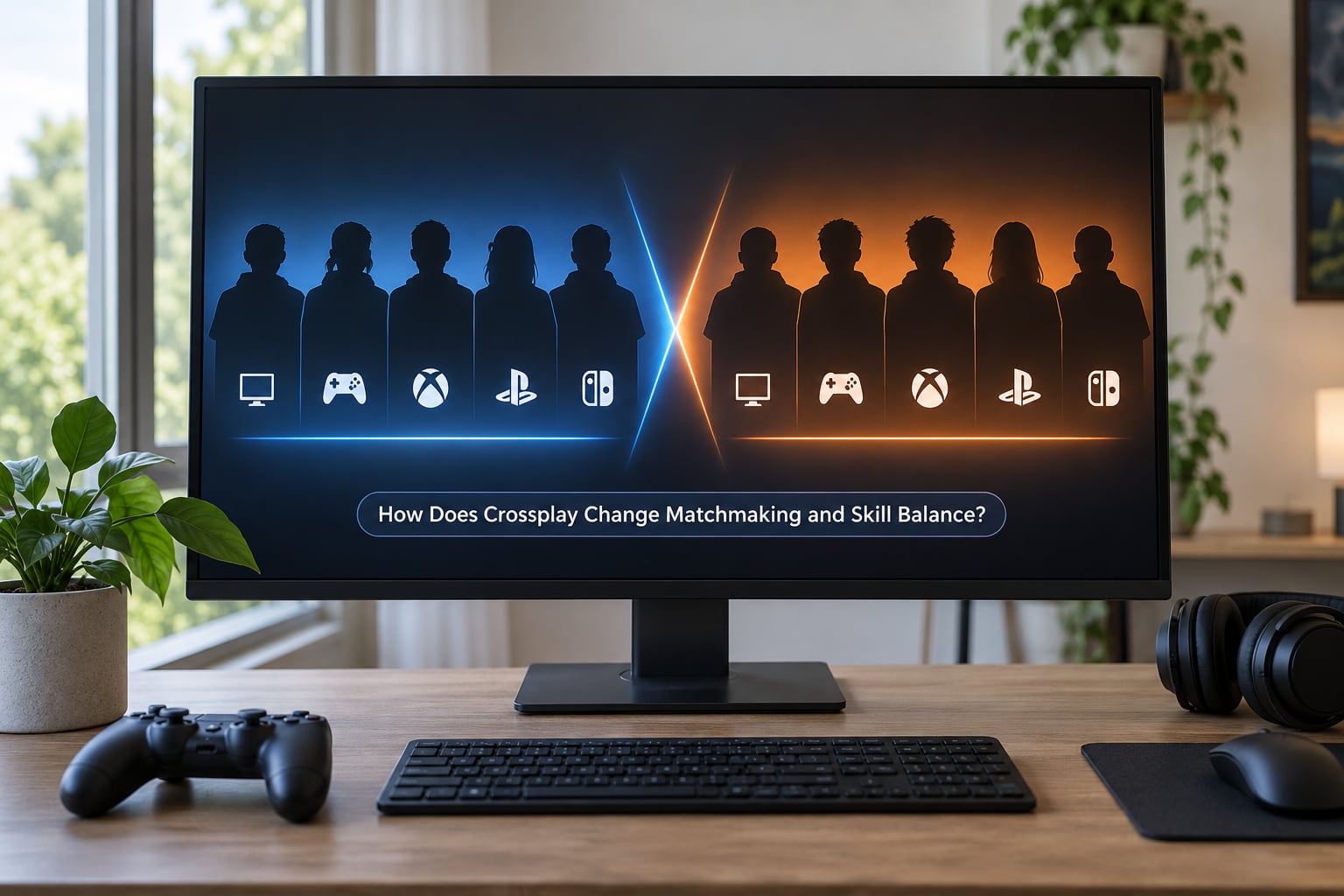
A bigger pool is the argument usually made for crossplay, and it is real. It means shorter queues, a wider ranked ladder, and more people to climb past. What it also means is a much larger pool of accounts that can be bought, lent or re-rolled, so smurf detection matters more rather than less.
The tension shows up in the options a game offers:
- Full crossplay, no opt-out. Shortest queues, widest ladder, and the least player control. This is what generates the loudest backlash.
- Crossplay with opt-out. A real choice, but opting out shrinks your pool. In shooters like Rainbow Six, that can stretch queue waits from a couple of minutes toward ten to fifteen. The cost is real and it is the honest reason many people stay on.
- Console-only crossplay pool. Requested often enough to be worth naming, since console community threads regularly ask for it. Without it, console players have to choose between a mixed queue and a slow one.
- Input-based matchmaking. Console players queue together, mouse and keyboard players queue together, and mixed parties are kept together as a rule. You keep the pool large and remove the variable people actually care about.
Skill estimation also gets harder at scale. A wider pool means more unfamiliar play styles feeding into the rating system, more noise in early placement matches, and more edge cases where a rating is wrong for someone whose main platform is not in the queue. Larger pools improve matchmaking quality on average, and the tail gets worse. That trade is worth stating plainly rather than pretending both go up together.
Apex Legends comes up repeatedly in these discussions as the reference implementation, specifically because it lets players opt out entirely and because it separates input devices in matchmaking. Players who distrust mixed lobbies tend to name it and the Halo series as titles that trust them with a decision.
How Can Game Developers Make Crossplay More Competitive?
A fair crossplay build usually looks like a list of specific engineering choices rather than a marketing position. These are the levers that matter, roughly in order of how much they affect a gunfight.
- Input-based matchmaking. Separate input queues inside a crossplay pool. It is the single highest-impact change and the one most competitors never explain.
- Aim assist policy written down. Publish the assist types in use, tune them per input device, and let players turn them off where the game allows.
- Frame rate normalization. Either cap everyone at a common target, which some competitive titles do, or enforce a performance floor and steady frame time so nobody has a reflex edge from hardware.
- Field of view scaling. Bring console perspectives toward the PC default so the player with more visible information is not automatically the one on a gaming monitor.
- Sensitivity and dead zone control. Give players full control of dead zones and stick response curves, and sync them across platforms where the game supports it.
- Regional servers and ping bucketing. Keep queues local, group players by connection quality, and use favor-and-swap for the residual disadvantage.
- Transparent versioning and a locked competitive pool. Ranked should run on a build that cannot change mid-season without a notice, so results stay comparable.
The design philosophy split underneath all of this is simple. One camp treats crossplay as a fairness problem and compensates. The other treats it as a pool problem and ships it as-is. The second camp is cheaper, which is why it keeps happening.
Is Crossplay Fair for Esports Tournaments?
Mixed-platform competition is legitimate in esports, but only under rules an organizer sets in advance. Without those rules it is not a match, it is an experiment with prize money attached.
Before allowing cross-platform entries, an organizer should require all of the following:
- A declared input device and platform for every player, submitted at registration rather than announced on match day.
- A single game version and patch locked for the whole event, with no mid-event updates.
- A regional or hard network limit, and a latency check run before first match.
- A written anti-cheat policy that covers the least-protected platform in the field, not just the most protected one.
- Identical in-game settings, including aim assist state, frame rate target and field of view, disclosed in advance.
- A practice period long enough for players to acclimate to the input they are being asked to use on that stage.
Broadcast consistency matters too. A viewer should be able to watch two matches and assume the same rules produced both. If one lobby had mixed input and the other was controller-only, the event is producing two different competitive products under one banner.
Where it goes wrong, the usual cause is not the platform mix. It is undeclared settings and unversioned patches. The platform argument gets all the attention, and it is rarely the thing that actually decides a tournament.
How Can Players and Organizers Improve Fairness?
If you play ranked and want the closest thing to a controlled comparison, do this rather than toggling crossplay off and hoping.
- Check your frame rate and frame time first. Aim for a stable number above your target’s minimum, and turn off frame rate caps if the game lets you.
- Put your display in game mode. On most televisions this is the single largest latency fix available to you.
- Re-tune your dead zones. Controller players should set them so the stick does not drift before the game does, and re-check after a firmware update.
- Run a latency test near match time. Peak hours on residential lines are worse than off-peak, and the region your client picks can change.
- Look for the ranked settings. Most competitive titles hide an assist toggle, a crossplay toggle or a console-only pool in the account or gameplay settings, not the main menu. On PlayStation, check Settings, then Network, then Cross Play. On Xbox, check Network, then Multiplayer, then Crossplay. On PC, it is usually in the launcher or the account settings rather than in the game itself.
- Decide with the queue cost in mind. Turning crossplay off usually costs you a much longer wait and a smaller ladder. That may be a good trade for you, but it is a trade.
Organizers and team managers have a different list. Record platform, input device, in-game settings and software versions for every player you enter. Keep a written version log for the event. Run a connection check as a standard part of check-in, not as a response to a complaint.
And if you are a community lead or a moderator, the most useful thing you can build is a win-rate or performance split by input device for your own queue. Players say repeatedly that this is the data they cannot find anywhere, and for most titles nobody has published it.
Frequently Asked Questions
Is crossplay inherently unfair?
No. Crossplay is a matchmaking arrangement, not a fairness setting. A crossplay ladder can be perfectly competitive when the game ships input-based matchmaking, balanced aim assist, steady frame times and regional servers. It is unfair in practice when platforms are pooled with none of those compensations, so the answer depends on how a specific title is built rather than on the feature itself.
Do PC players have an advantage in crossplay?
Mouse and keyboard genuinely offers more precision and faster corrections than a controller, and a higher frame rate adds further information speed. That is a real advantage in a shooting game. It is not a guarantee of wins, because aim assist, field of view, display latency and player skill all cut the other way, and separate console queues remove the variable entirely.
Is aim assist cheating in shooters like Call of Duty?
Aim assist is a built-in mechanic, so no. Whether it is fair depends on its strength and its scope. Rotational, sticky and slowdown assists give a controller player reaction time a mouse user gets for free from precision alone, which is a legitimate compensation rather than an exploit. It becomes a problem when assists apply unevenly across input devices in one lobby.
Should I turn off crossplay for competitive play?
Turning crossplay off does not make you a better player, it changes who you are queued against. The real cost is queue length, because your platform-only pool is far smaller, and players report waits stretching into ten to fifteen minutes in some shooters. Check whether your title offers separate input matchmaking first, since that fixes the complaint without shrinking your pool.
Is crossplay fair for tournaments and esports events?
It can be, provided the organizer sets the conditions in advance. Require a declared platform and input device per player, lock one game version for the event, enforce a regional or hard network limit, publish the aim assist and field of view settings, and run a connection check at check-in. Without those, a mixed-platform event measures settings differences more than player skill.
Which games handle crossplay most fairly?
The titles players cite most often are Apex Legends and the Halo series, mainly because both let you opt out of crossplay and both separate input devices in matchmaking rather than pooling everything. Games that ship crossplay with a mandatory toggle and no input separation are the ones that draw the most complaints. Policies shift every season, so verify the current settings in your game.
Crossplay on its own is not the fairness problem. Pooling platforms without input separation, without aim assist balance and without latency control is the problem, and that is a decision a publisher makes.
So start here: open your game’s multiplayer settings tonight and find out whether it separates input devices or only separates platforms. If it does, crossplay is worth keeping on. If it does not, weigh that against the queue wait before you decide, and know the difference you are actually making.
Crossplay policies change every season, so treat any answer here as current for October 2026 and re-check the settings before recommending it to someone else.