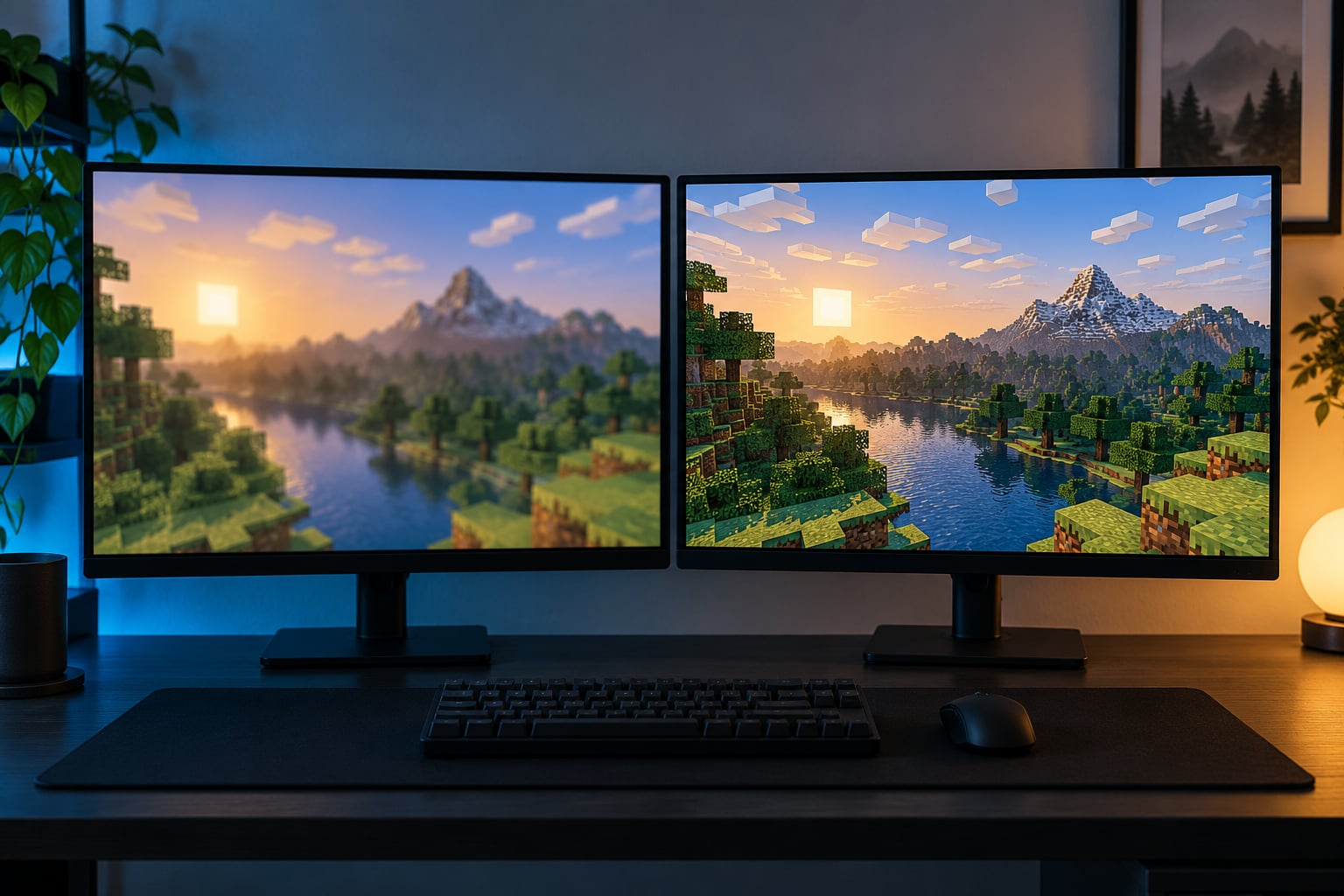
Upscaling changes image quality by rebuilding a larger image from a smaller one. A renderer draws the scene at a lower internal resolution, then an upscaler reconstructs a higher-resolution output by combining that frame with motion vectors, depth data, camera jitter and earlier frames. Some detail comes back. Some never existed and gets guessed instead.
That trade is the whole story. Output resolution goes up, frame rate goes up with it, and the picture you judge is now a render plus a reconstruction rather than the render alone. Understanding how upscaling technologies change image quality means separating what genuinely improves from what merely looks different on first impression.
This guide covers how upscaling technologies change image quality across gaming displays, video and still photos, what each generation does differently, which artifacts show up where, and how to test the effect yourself instead of trusting a preset name. Paths and setting names follow the DLSS, FSR and XeSS implementations available in 2026.
Table of Contents
- What Is Video Upscaling?
- How Upscaling Technologies Change Image Quality
- How Spatial, Temporal and AI Upscaling Differ
- Spatial upscaling: one frame in, one frame out
- Temporal upscaling: the same scene, many frames
- AI upscaling: learned detail from training data
- Why More Pixels Do Not Always Mean Better Quality
- What Upscaling Does to Detail, Motion and Latency
- How Upscaling Quality Varies Across Games and Displays
- How DLSS, FSR and XeSS differ on image quality
- How to Get the Best Results from Upscaling
- Common Upscaling Myths and Misconceptions
- Frequently Asked Questions
- Does upscaling make a 1080p game look like native 4K?
- Is AI upscaling always sharper than traditional scaling?
- What is the difference between upscaling and frame generation?
- Can upscaling increase input lag or reduce frame rate?
- Which upscaling mode should I use for a gaming setup?
- Conclusion
What Is Video Upscaling?
Upscaling is the process of increasing the pixel dimensions of an image beyond its source resolution, either by interpolating between existing pixels or, in modern upscalers, by reconstructing new detail with a trained model. Video upscaling does that to every frame. Does upscaling reduce image quality? Not inherently. A good upscaler at a modest scale factor usually looks cleaner than the same image stretched by naive interpolation, because it removes jaggies and noise at the same time. But it also rewrites the image, and a rewrite can cost you fine texture, invent texture that was never there, or boil when things move.
It is worth separating upscaling from three things people regularly mix it up with.
- Downscaling reduces pixel count, usually to fit a smaller framebuffer or hit a performance target. Supersampling is downscaling done on purpose: render huge, shrink down, get clean edges.
- In-game rendering is the draw itself. The renderer produces a frame at the internal resolution, which may be nothing like the number in your output settings.
- Super resolution is the broader research term for reconstructing a high-resolution image from low-resolution data. Spatial and temporal upscaling are two families of it; AI upscaling is a modern implementation of both.
- Frame generation invents whole new frames between real ones. It raises perceived smoothness, not resolution, and the two are frequently mistaken for each other.
None of this recovers the original pixels. Upscaling reconstructs or expands an image, and the quality of the result depends on how much information the method had to work with.
How Upscaling Technologies Change Image Quality
The honest answer covers two categories. Objective changes happen in the pixel data: resolution count, edge contrast, noise levels, colour handling. Subjective changes happen in your perception: the image reads as sharper, cleaner or more solid at normal viewing distance. The two rarely move together, which is exactly why upscaling quality arguments get heated.
Here is the split that matters most when you compare modes.
| Objective change | What actually happens to the pixel data |
|---|---|
| Pixel count of output | Rises. The output frame holds more pixels than the render ever produced, and the extra ones are estimated. |
| Edge contrast | Rises then can overshoot. Reconstruction sharpens gradients, and past a point sharpening turns into ringing around high-contrast edges. |
| Aliased detail in static frames | Falls. Per-pixel detail that flickered between frames stops flickering once samples are accumulated. |
| Noise and compression blocking | Usually falls, because a model trained on clean images tends to smooth irregular low-level variation. |
| True resolvable detail | Does not rise. The smallest feature the renderer actually drew is unchanged, whatever the output resolution says. |
| Colour | Normally passes through untouched. Slight shifts come from the sharpening and denoising stage, not from the geometry. |
| Perceived clarity | Rises, sometimes a lot. This is the benefit users are really buying, and it is a perceptual result rather than a measurement. |
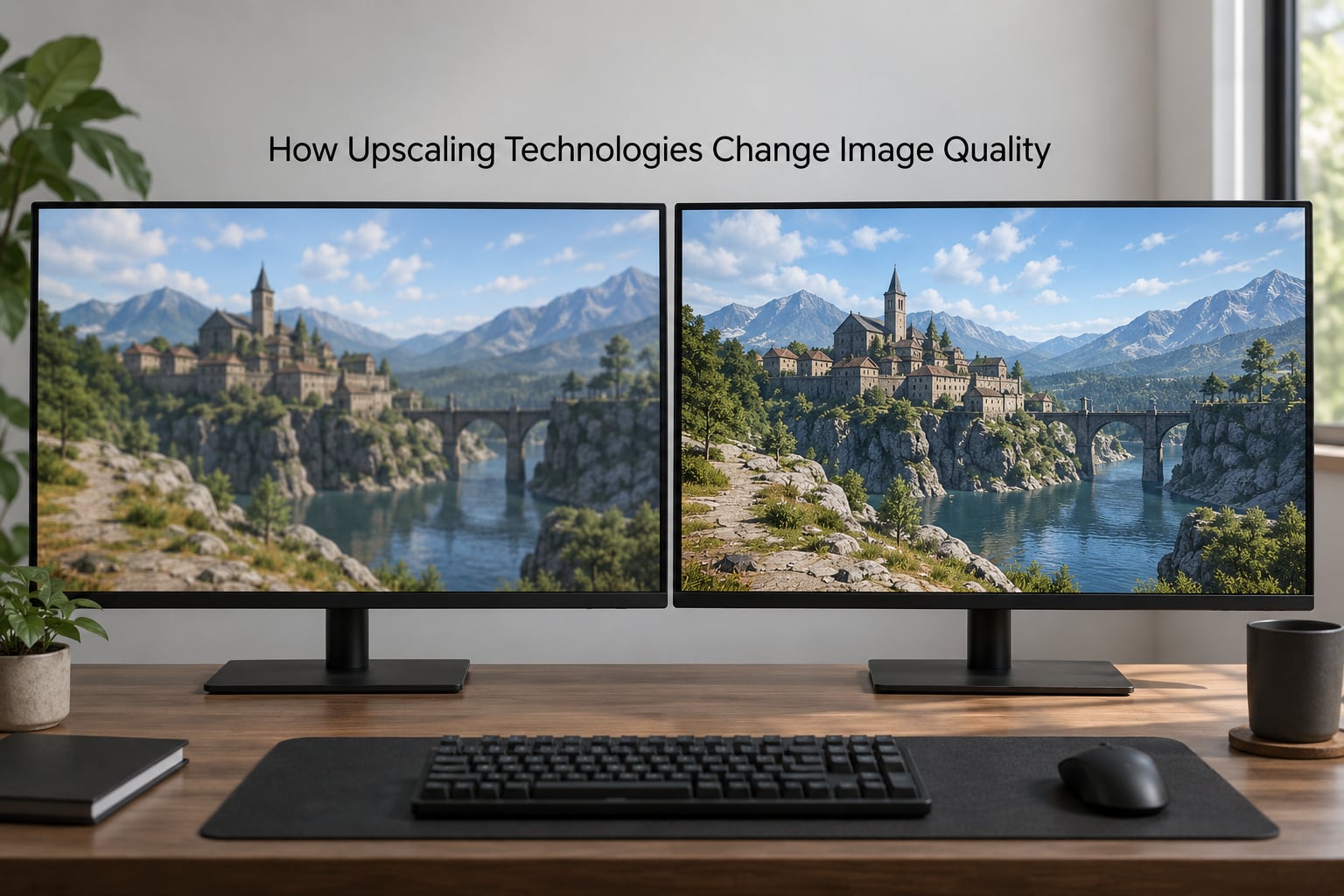
Read that table twice and one line stands out. True resolvable detail does not move. Everything else is a change to how the same information is presented.
That is why a 4K upscaled frame can look better than a native 1080p frame and still be worse than native 4K. You are comparing three different things: what the GPU drew, how faithfully the upscaler rebuilt it, and what your panel can resolve at your distance.
There is one more change worth naming. Upscaling quietly changes what counts as image quality. When a game runs at native 4K, a defect is the renderer’s fault and you can blame a setting. Turn upscaling on and every artefact in the scene is now the product of two systems, which is why the same build that looked clean for one player looks cooked for another.
How Spatial, Temporal and AI Upscaling Differ
The three families differ in where they get their information from. Spatial methods look at one frame. Temporal methods look at several. AI methods look at a frame plus whatever a trained model already knows about what similar images should contain.
Spatial upscaling: one frame in, one frame out
Spatial upscaling enlarges a single image using its own pixels. Nearest-neighbour simply duplicates blocks and gives you hard stair-step edges. Bicubic blends neighbours into smoother ramps. Lanczos adds a wider kernel that keeps more apparent detail and produces the classic ringing you see on text and high-contrast edges.
Because spatial methods have one frame to work with, their ceiling is low. They cannot know what was in the gaps, so they estimate from neighbours, and every estimate is a guess that can soften or wobble. Edge-adaptive spatial filters improve on this by detecting where the detail is and filtering differently, but they still invent rather than recover.
Temporal upscaling: the same scene, many frames
Temporal upscaling is the big leap in gaming. The engine renders at a lower resolution with sub-pixel jitter applied every frame, so a stationary edge lands on a slightly different pixel each time. The upscaler accumulates those samples across frames, then reconstructs a high-resolution output. With the game paused or nearly still, more samples keep landing on the same detail and it sharpens up nicely over a second or two.
Motion vectors tell the upscaler where each pixel came from, and depth data helps it reason about what sits in front of what. That extra data is why temporal output usually looks far cleaner than spatial output at the same scale factor. It is also why temporal upscalers replace the temporal anti-aliasing stage rather than stacking on top of it: running both gives you two separate attempts to resolve edges from history, and the mismatch between them shows up as doubled ghosting.
AI upscaling: learned detail from training data
AI upscaling adds a neural network to the pipeline. Earlier convolutional models in upscaling largely reproduced the spatial and temporal algorithms they were trained on. Transformer-based models and newer hybrid designs go further, reading larger regions of the image and predicting plausible high-frequency content from patterns learned across millions of images.
That prediction is the whole point and the whole problem. A model can put texture back into a flat wall that the renderer left empty, which looks great and is not accurate. The same mechanism rewrites hair, distant foliage and patterned surfaces into something plausible rather than faithful.
Hardware requirements split here too. Intel’s XeSS needs XMX AI units on newer parts and falls back to DP4a on older silicon, which costs performance. AMD’s FSR is designed to run without vendor-specific AI hardware, and on r/Amd one member put the trade plainly: hardware independence is what lets FSR run anywhere, and is also what makes it weaker on the cards that can do better.
| Method | Input data used | Effect on sharpness | Effect on stability | Artifact risk | Hardware |
|---|---|---|---|---|---|
| Spatial interpolation | Single frame | Low to moderate; soft unless the kernel is aggressive | None, because it is stateless | Ringing, blur, stair-stepping | Any, effectively free |
| Temporal upscaling | Frame history, motion vectors, depth, jitter | High; sharpens as samples accumulate | Very good when history is correct | Ghosting, shimmer, disocclusion flicker | Any GPU, cheap enough to be near-free |
| AI upscaling | Frame data plus learned priors | Highest ceiling, can overshoot | Good, and usually the best in motion | Invented detail, halos, over-processing | Varies; best results on dedicated AI hardware |
| Frame generation | Two real frames plus motion estimation | None; it copies the base frame | Can look smooth while the base image stays soft | Warping, double images, unstable fine detail | Newer hardware strongly preferred |
The last row exists in this table on purpose. Frame generation is not upscaling and never will be, though the menus often put them next to each other.
Why More Pixels Do Not Always Mean Better Quality
More pixels help only when the extra pixels carry information. The limit is set by the source, not the output. Is 4K upscaling actually 4K? Only in the arithmetic sense. Your display receives 3840 by 2160 pixels, but the renderer may have drawn far fewer, and the upscaler filled the rest by estimating. Output resolution and rendering resolution are separate settings, and selecting 4K in a graphics menu tells you the second one only if you check the render scale separately.
Several things cap the benefit.
Source quality. A clean, detailed low-resolution frame gives an upscaler something to work with. A frame that is already noisy or compression-blocked gets its block edges interpreted as detail and faithfully preserved at four times the size. Upscaling amplifies whatever is there, including the flaws.
Texture and shader settings. Low-resolution textures and low shader quality remove information before the upscaler ever sees the frame. No reconstruction recovers geometry that was never drawn. This is the single most common reason someone concludes upscaling does not work: the source was already the problem.
Anti-aliasing choices. Turning off anti-aliasing to let the upscaler handle edges produces a harsher image than turning it off and using nothing. Frame rate gained that way comes straight out of edge quality.
Display size and viewing distance. Upscaling to 4K on a 27-inch monitor puts roughly twice the pixels into the same physical area as 1440p. The panel resolves them and the improvement is real. Upscaling to the same 4K output across a 65-inch television at 2.5 metres is a different comparison, and one where the source has to carry more before you see any gain.
Sharpening. Contrast-adaptive sharpening after an upscaler is a second pass that can reintroduce what the upscaler just cleaned up. It also produces halos along roofs and fence lines that read as hard white rims in a still and disappear in motion.
Compression. A stream or capture encoded at a bitrate that suits 1080p will not suddenly compress well at 4K. The blockiness is baked in before the viewer ever sees the frame.
So the answer to why more pixels do not always mean better quality is straightforward: pixels without information are just space.
What Upscaling Does to Detail, Motion and Latency
In a still frame, a good temporal upscaler looks close to native. In motion, everything interesting happens, because the reconstruction depends on the camera and objects holding still long enough for history to stay valid.
When history is valid, upscaling stabilises detail that used to boil. Distant fences, chain-link, roof tiles and window grids stop crawling, because samples that landed on the same feature across several frames get combined. Texture reconstruction goes further, filling in flat regions with plausible high-frequency detail that the low-resolution render could not express.
When history is wrong, the same mechanism produces the artifacts everyone complains about. Here is the catalogue, keyed to what is actually on screen.
| Artifact | What causes it | Worst-case scenes | How to reduce it |
|---|---|---|---|
| Ghosting and smearing | History from a previous frame position is blended into the current one after the object moved | Thin poles, wires, antennae, flying creatures, fast weapon swings | Use a higher quality preset or a higher source resolution; some games expose anti-ghosting sliders |
| Shimmering and crawling | Sub-pixel detail lands differently each frame and never settles | Foliage, grass, hair, chain-link fences, distant rocky terrain | Lower sharpening, raise source resolution, disable any extra sharpening pass |
| Disocclusion flicker | Pixels hidden behind a moving object are newly exposed and have no history to build from | Peeks around corners, opening doors, explosions, character silhouettes against bright sky | None fully; it eases as frames accumulate and worsens with aggressive scale factors |
| Ringing and halos | Sharpening or a strong reconstruction kernel overshoots around high-contrast edges | Rooflines against sky, HUD text, bright neon edges | Reduce sharpening, try the quality preset rather than performance |
| Over-processed detail | A model replaces texture with a more attractive pattern than the render contained | Flat brick and concrete, repeating fabric, distant crowd geometry | Compare against native at the same angle; there is usually no setting that turns this off |
| Boiling on a still scene | Sample accumulation is interrupted by a small camera movement that resets the history buffer | Idle camera breathing, idle animation loops, subtitles appearing | Expected behaviour; watch it for several seconds before judging |
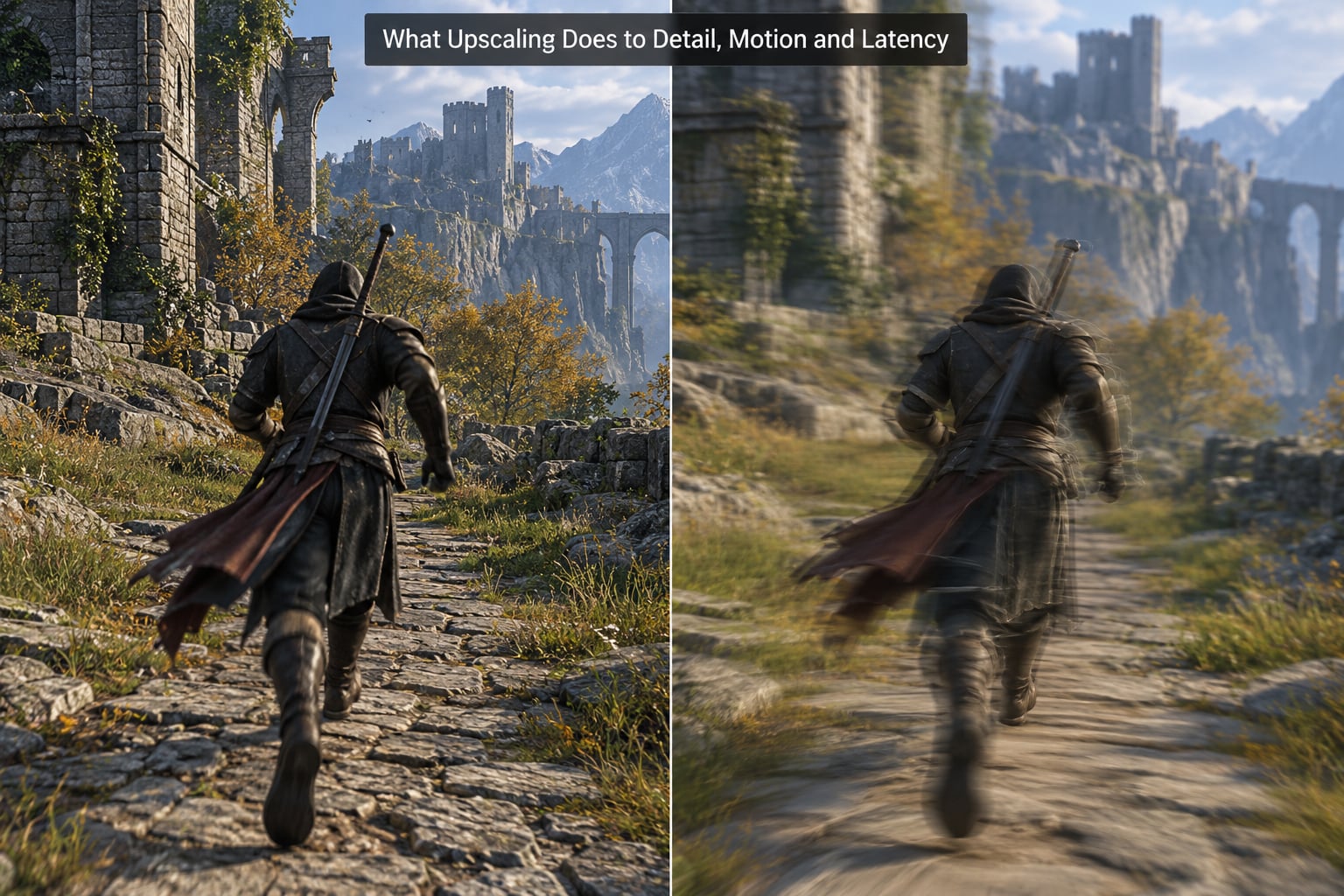
Motion is where the trade-off becomes impossible to ignore. In r/FuckTAA, one player described the mode trade directly: DLSS Performance produces artifacts, more ghosting and strange artefacts around poles and flying creatures. It is a trade, not a free upgrade. In r/nvidia, a thread on 4K reached the matching conclusion from the other direction: 4K with a performance mode is almost always a little worse than native 4K because the internal resolution is simply too low to match.
Latency needs separating carefully. Image upscaling by itself adds very little, because the reconstruction runs as part of the frame’s own work. Frame generation is where input lag comes from, because a frame you are reacting to was not rendered for your input in that instant. Some implementations add a small pipeline cost, and running upscaling and frame generation together adds more again. If your mouse feels heavier after a settings change, the frame generation is the more likely culprit.
There is also a readability effect people mistake for lag. A soft image with weak edges gives you fewer visual cues about where a target is, so aiming feels worse even when the frame rate and latency are identical. Sharper reconstruction genuinely helps aiming at distance, which is one reason competitive players argue so loudly about this setting.
How Upscaling Quality Varies Across Games and Displays
Two games running the same upscaler on the same GPU can look completely different, and the reason is rarely the upscaler. Implementation quality matters as much as the vendor. On r/AMD, one comparison of the UE5 Matrix City sample put it neatly: DLSS seemed more temporally stable but showed more artifacts in motion. On r/cyberpunkgame, a player reported the ghosting almost entirely absent with XeSS, saying it was not noticeably different from DLSS and often better than FSR. Those are different games, different modes and different expectations, which is exactly the point.
What changes the result:
- Source resolution. The biggest single factor. A quality preset that renders close to output resolution has far less to invent than a performance preset.
- Engine integration. Whether the developer supplies correct motion vectors, depth and jitter, and whether they disabled TAA cleanly when the upscaler took over.
- Texture and shader quality. Low settings remove the information an upscaler would have used.
- Anti-aliasing configuration. Upscaler on top of TAA, or an engine upscaler such as TSR stacked with a vendor one, produces two competing histories.
- Speed of motion. Fast camera movement shortens the window in which history stays valid.
- Display size and panel type. A 32-inch 1440p screen and a 27-inch 1440p screen with very different pixel density will not reward the same settings.
How DLSS, FSR and XeSS differ on image quality
| Upscaler | Upscaling type | AI hardware | Temporal stability | Sharpness tendency | Where it fits best |
|---|---|---|---|---|---|
| DLSS | Temporal, transformer-based reconstruction in recent versions | Tensor Cores strongly recommended | Generally the most stable in motion | Sharp; quality modes can over-sharpen | Players who want the strongest image and can afford the GPU |
| FSR | Temporal, with machine-learning upscaling in its newest generation | Not required, which is its main advantage | Improving; earlier versions lagged behind | Soft by default, and added sharpening has to compensate | Hardware where no dedicated AI units exist, or a fixed budget |
| XeSS | Temporal, DP4a on older parts, XMX-accelerated where available | Optional; falls back to a slower path | Competitive on supported hardware | Close to DLSS, often a touch softer | Intel and hybrid systems, and cross-vendor setups |
| Native AA or DLAA | No scaling; renders at output resolution | N/A | Perfect, subject to the engine | Exactly what the renderer drew | The image-quality ceiling on capable hardware |
If you want the short version: on hardware that supports it, DLSS currently holds an edge in sharpness and stability. XeSS is close and improves where XMX units are present. FSR runs anywhere and has closed a lot of the gap, at the cost of usually needing help from sharpening. On r/IntelArc, one comparison put DLSS quality ahead on sharpness with better temporal stability than XeSS, though that was an XeSS 1.1 era test and the gap has narrowed since.
Consoles and handhelds run the same ideas with different names and limits. PlayStation 5 games list a checkboard-style reconstruction option for 4K output, and the Deck’s 800 by 600 panel is a case where upscaling at the native output resolution matters far less than the panel density itself. Fixed hardware means developer-side presets do most of the deciding.
How to Get the Best Results from Upscaling
There is no universal best mode, because the right answer depends on your source resolution, your panel, your GPU and how fast the game moves. There is a reliable way to find yours.
- Fix the camera first. Stand in one spot, aim at the same corner of the map, and keep it there while you switch modes. Most comparisons go wrong because the two shots were not the same shot.
- Turn off extra sharpening. In-game sharpening sliders and driver-level sharpening stack on top of the upscaler and change the result more than the preset name does.
- Give it the best source you can afford. The highest sensible preset beats a lower one with frame generation on top. Frame generation multiplies whatever quality the base frame has, including blur.
- Watch it in motion, not in a screenshot. A clean still tells you almost nothing about ghosting or shimmer, because a still frame is the case upscalers handle best. Rotate the camera, walk past foliage and swing past a pole. A screenshot cannot show you the problem you are about to have.
- Give still frames a few seconds. Sample accumulation continues while nothing moves, so a paused scene legitimately sharpens. Judge motion first, then let it settle before judging the still.
- Then decide with the frame rate and latency on the table. A mode that looks better but drops you under a threshold you need is the wrong choice for you.
| Preset | Internal resolution at 4K output | Typical result |
|---|---|---|
| Native or DLAA | Full output resolution | The quality ceiling, and the only true reference point |
| Quality | Roughly half in each dimension | Close to native when still; best balance for most players |
| Balanced | Roughly 70 percent | Noticeably softer on fine texture, very stable in motion |
| Performance | Roughly a third | Heaviest reconstruction; most visible ghosting and shimmer, worst on thin geometry |
| Ultra performance | Quarter scale | Competition frame rates at real cost to image quality and temporal stability |
Exact scale factors vary by upscaler version, so read the label rather than memorising the table. The shape of it does not change: the further down the preset list you go, the more of the image is invention.
One honest warning. A clean 4K screenshot is very easy to produce and tells you almost nothing about temporal quality, which is why screenshot-only comparisons flatter upscalers. If a build of a game looks perfect in stills and boiling in motion, that is the normal shape of the problem, not a display fault.
Common Upscaling Myths and Misconceptions
Myth: upscaling restores the original 4K detail. It restores detail the renderer did not fully draw, by sampling and estimation. Where the render had no information at all, the upscaler fills in something plausible. What you get is a reconstruction, not a recovery.
Myth: every mode labelled 4K is the same. Output resolution is fixed by the display. The internal resolution behind it changes with the preset and the game’s own render scale, and it can be less than half. Two people saying they are playing at 4K can be describing very different images.
Myth: AI upscaling always looks more natural. It usually looks better at a glance and worse under scrutiny. The plastic, waxy look people complain about in photo upscaling comes from the same mechanism that produces the impressive results: a model replacing what was there with something more pleasing.
Myth: frame generation is resolution scaling. It creates new frames rather than new pixels in an existing frame. Your game can look smooth and blurry at the same time, which is the classic symptom of frame generation running on a low base resolution with a low base frame rate.
Myth: upscaling itself adds input lag. The reconstruction cost is small and happens inside the frame you were already waiting for. The lag people notice after enabling a combined upscaling and frame generation option comes from the frame generation stage.
Myth: keeping TAA on top of the upscaler gives you the best of both. Two anti-aliasing stages working from different histories is a common source of doubled ghosting. Turning the engine’s temporal anti-aliasing off when a temporal upscaler is active is the intended configuration.
Myth: the newest upscaler version is automatically the best looking. Newer models tend to be more temporally stable and better at fine detail, but they also sharpen harder. If your preferred look was from an older version, the old setting is still a valid choice, and you will get more out of it by reducing sharpening.
Frequently Asked Questions
Does upscaling make a 1080p game look like native 4K?
No. It produces a 4K-sized output image from a 1080p render, so the extra pixels are estimated rather than drawn. Compared with native 1080p on a 4K panel it usually looks cleaner, because edges stop crawling and noise is filtered. Compared with native 4K it is behind, because no amount of reconstruction recovers detail the renderer never sampled.
Is AI upscaling always sharper than traditional scaling?
Usually sharper at a glance, and not always more accurate. A neural model predicts high-frequency detail that interpolation can only smooth over, so edges look crisper and small textures appear. That predicted texture is a plausible guess, not recovered fact, which is why results vary by subject and why flat surfaces sometimes gain detail the original never contained.
What is the difference between upscaling and frame generation?
Upscaling increases the pixel dimensions of frames that were actually rendered, reconstructing detail from lower-resolution input plus frame history. Frame generation leaves existing frames alone and invents entirely new frames between them to raise perceived smoothness. One changes resolution, the other changes frame count, and enabling frame generation on a low base resolution gives you a smooth but blurry image.
Can upscaling increase input lag or reduce frame rate?
Marginally, if anything. The reconstruction runs inside the frame you are already waiting for, so the cost is a small part of a frame budget that is usually spare. What people notice as new input lag is usually frame generation, which adds pipeline stages and can lower the base frame rate a lot. Check frame generation before blaming the upscaler.
Which upscaling mode should I use for a gaming setup?
Start with the quality preset and test it against native in the same scene. Move down one step only if you need the frame rate, and move up whenever you can afford it, because image quality here depends on source resolution more than the label. Watch foliage, wires and character silhouettes in motion, and leave engine anti-aliasing off if a temporal upscaler is already handling edges.
Conclusion
Upscaling technologies change image quality by rebuilding a larger, cleaner presentation of what the renderer drew. They raise apparent resolution, stabilise detail that used to crawl, filter noise and add perceived sharpness. They do not guarantee native detail, and at low source resolution the extra pixels are mostly estimate.
Start simple: pick one scene, hold the camera still, and compare native against one alternative upscaling mode at the same frame rate and the same camera angle. Watch it move. Whatever wins there is the setting for you.