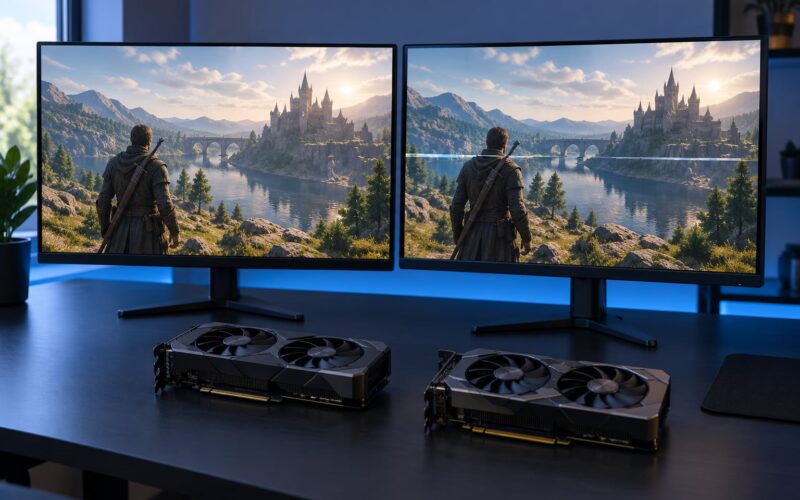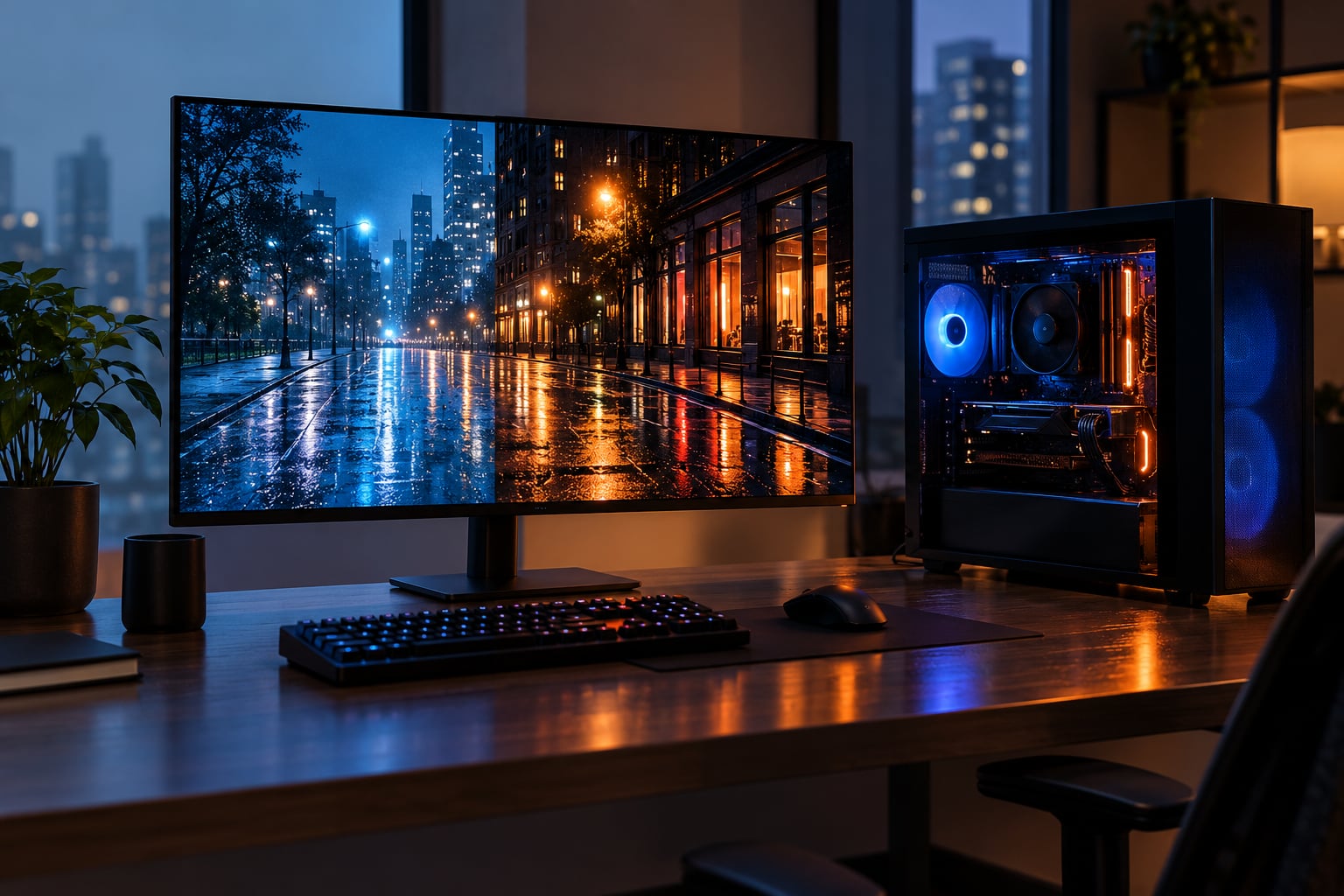
Here is the short answer: how ray tracing affects performance is mostly a question of how much frame rate you can afford to lose. Enabling it typically costs 30 to 50 percent of your average frame rate at moderate settings, and path tracing can take far more than that. The exact number depends on which effects you turn on, which quality preset you pick, what resolution you render at, and whether an upscaler or frame generator is doing work behind the scenes.
That is the whole argument in one paragraph, and it is also why people argue about it so much. A number quoted without a GPU, a resolution, a preset and an upscaler state tells you almost nothing about your own machine.
Table of Contents
- Key takeaways
- What Does Ray Tracing Do in Games?
- How Ray Tracing Affects Performance
- Performance Impact at a Glance
- Why Does Ray Tracing Reduce Frame Rates?
- How Much Performance Does Ray Tracing Cost?
- What changes the number
- Does Ray Tracing Use More VRAM and Power?
- What Ray Tracing Settings Have the Biggest Impact?
- How ray tracing affects performance at low, medium and high presets
- How to Reduce the Performance Cost
- How to Test the Impact in Your Own Games
- Ray Tracing, DLSS, FSR, and Frame Generation
- Frequently Asked Questions
- How much frame rate does ray tracing cost?
- Is ray tracing better than higher resolution?
- Does ray tracing use more VRAM?
- Should I turn ray tracing off?
- Does frame generation fix the performance cost of ray tracing?
- Conclusion
Key takeaways
- Typical cost: moderate ray-tracing presets cost roughly 30 to 50 percent of average frame rate; the widely repeated range is real but wildly dependent on scene, settings and resolution.
- Cost is not flat across settings: ray-traced reflections and global illumination carry most of the expense. Shadows and ambient occlusion are far cheaper.
- Resolution changes the math: rendering cost scales with pixel count, so the same preset costs more frames at 1440p than at 1080p in absolute terms.
- Upscalers change what the number means: DLSS, FSR and XeSS reduce the internal render resolution, and frame generation adds frames rather than making the base render cheaper.
- Average FPS is only half the story: 1 percent lows and input latency often drop more than the average, which is what competitive players actually feel.
What Does Ray Tracing Do in Games?
Ray tracing is a rendering technique that simulates how light physically bounces off surfaces, producing accurate reflections, shadows and global illumination instead of relying on pre-baked approximations.
Classic rasterization, which almost every game has used since the 1990s, does not simulate light at all. It takes the geometry of triangles, projects them onto the screen, and then fakes the lighting with textures, shadow maps and reflection probes. It is astonishingly fast because it never asks the question of what this surface actually looks like reflected in that puddle.
Ray tracing asks that question properly. For each pixel it fires rays through the scene, works out what they hit, and shades accordingly. The result is correct bounce light, reflections that include objects you would expect to see in them, and soft shadows that behave correctly when something blocks the light.
The catch is that a correct answer costs far more than a plausible one. Players on r/videogames put it plainly: the main thing gained with raytracing is accurate reflections and bounce light. That accuracy is the whole point, and it is also the expense.
How Ray Tracing Affects Performance
Ray tracing reduces your frame rate because each frame now contains a large amount of extra geometry work, and that work has to finish before the frame is presented.
Four things move when you flip the toggle:
- Average frame rate drops. Usually by 30 to 50 percent at moderate presets in most modern titles. In a title with heavy ray-traced lighting the loss can be far worse.
- GPU utilization climbs. The workload shifts from simple screen-filling pixel work into irregular, data-dependent ray queries, which are harder to keep a GPU fully busy with.
- Frame time rises even when average FPS looks okay. Extra ray work extends the time each individual frame takes, which tightens stutter headroom.
- CPU cost can move too, but it varies by game. Some titles rebuild acceleration structures every frame as objects move, which adds a CPU-side and upload cost that has nothing to do with your GPU’s strength.
That last point explains a lot of the conflicting reports. Two people can enable the same settings on the same model card and see different results, because the games are spending the frame differently.
Performance Impact at a Glance
The table below uses labelled example scenarios rather than fixed benchmark results. Your own numbers will differ, but the direction and rough magnitude of each row are reliable.
| Scenario | Average frame rate | GPU load | Video memory | Visual result |
|---|---|---|---|---|
| Ray tracing off, native resolution | Baseline, for example 100 percent | Moderate | Baseline | Flat lighting, screen-space reflections, hard shadow edges |
| Shadows and ambient occlusion only, low preset | Roughly 85 to 95 percent of baseline | Moderate to high | Slightly higher | Contact shadows tighten noticeably, ceiling lifts a little |
| Reflections and shadows, medium preset | Roughly 60 to 80 percent of baseline | Very high, often near full load | Higher | Clearly better reflections and light bleed, the usual compromise tier |
| Global illumination plus reflections, high preset | Roughly 40 to 60 percent of baseline | Saturated | Higher again | Large improvement, few scenes hold up without it |
| Path tracing at medium | Often 20 to 35 percent of baseline in demanding scenes | Saturated well beyond frame budget | Highest | Reference-quality light, usually with denoising softness |
Read that as a shape, not a spec sheet. The jumps between rows are much larger than the jumps inside a row, which is why choosing effects matters more than fine-tuning a single slider.
Why Does Ray Tracing Reduce Frame Rates?
The expensive part is not the arithmetic of bouncing a ray. It is working out, thousands of times per frame, which object that ray hits.
A naive check would compare the ray against every triangle in the scene. Games instead build an acceleration structure, usually a bounding volume hierarchy, that groups nearby geometry into nested boxes so the GPU can skip almost everything. A ray from a puddle in a city street might touch a few dozen boxes instead of a few million triangles.
Even that shortcut has costs the hardware pays on every frame:
- Ray-object intersection tests. Bounding box checks and triangle tests, repeated for every ray, at every bounce depth. Bounce depth matters enormously: more bounces look better and cost roughly more each time.
- Structure updates. When objects move, the hierarchy has to be rebuilt or refitted. Games that do this every frame pay for it whether or not you are looking at the object.
- Memory traffic. Ray data is scattered across video memory in a way that defeats the cache-friendly access patterns rasterization enjoys. Cache misses cost real time.
- Noisy results and denoising. Few rays per pixel give a grainy image. Raising ray counts removes the noise and raises the cost. Denoisers recover a clean image from cheap samples, which is why turning denoising off or on changes both quality and frame time.
- Divergence. Neighbouring pixels take different paths through the scene, so the GPU cannot always keep every lane busy.
- Dedicated RT cores. Cards with hardware ray-tracing units still lose frames here, because the ray workload keeps competing with rasterization, lighting and post-processing for the same budget.
Nvidia’s own developer documentation makes the same point from the other side: efficient ray tracing needs a pipeline that scales at every stage. That is a warning that this is not one toggle you flip over a finished renderer.
How Much Performance Does Ray Tracing Cost?
Expect a loss of roughly 30 to 50 percent of average frame rate at moderate settings, and treat any number quoted without hardware, resolution, preset and upscaler state as incomplete.
That range is not marketing copy. It is the number players keep repeating years later. On r/nvidia one user framed it as the performance hit being 30 to 50 percent, and called that loss of frame rate far too much of a sacrifice, while another with a much faster card still called losing that much a dramatic hit. The same forum thread also holds the counterposition, from r/radeon: you can play 1440p max settings and get 240 fps still. Both can be true.
Path tracing is where the gap stops being arguable. One user in r/007FirstLight posted an RTX 5070 Ti at 1440p, upscaler in performance mode, path tracing at medium, running around 30 fps, against roughly 130 fps with path tracing off. That is about a 77 percent loss, on very capable hardware.
What changes the number
- Resolution. More pixels means more rays. A preset that costs 30 percent at 1080p can cost more in absolute frames at 1440p.
- Preset. Low to high can be another 20 to 30 percent of frame rate on its own.
- Which effects. Shadows alone cost a fraction of global illumination.
- Scene content. Dense foliage, alpha-tested geometry and lots of bouncing light are the expensive cases. Open roads are not.
- Upscaler state. Quality versus performance mode changes the internal resolution and therefore the ray count.
- Driver version. Players on the Cyberpunk forums report meaningful swings tied to specific drivers, so a comparison across different driver builds is not a clean test.
A useful mental model is a rays-per-second budget. You can spend it on resolution, on quality, on bounce depth, or on frame rate, but the budget does not stretch. Every one of those is a withdrawal from the same account.
Does Ray Tracing Use More VRAM and Power?
Yes to both, though the VRAM increase is usually smaller than players expect and the power effect is mostly a consequence of longer work, not extra memory.
Ray tracing adds acceleration structures for the scene, ray query buffers, and denoising data on top of the buffers rasterization already needed. In most titles that works out as a modest VRAM increase at the same resolution, and it becomes significant at high resolutions with path tracing, where several passes of ray data coexist.
Power draw rises because the GPU is doing more work per frame, and heat is the practical limit. A card that would sit cool at 70 percent utilization can drop its boost clocks when ray tracing pushes it to 98 percent, which is why sustained ray-traced frame rates can drift below the first few seconds of a benchmark. Lowering the ray-tracing preset or the render resolution gives the card headroom and that drift usually settles.
For handheld and console hardware, where the cooling budget is fixed and shared, the same reasoning is more brutal. There is no thermal headroom to spend, so effects have to be trimmed instead.
What Ray Tracing Settings Have the Biggest Impact?
Ranked from cheapest to most expensive, the usual order is shadows, ambient occlusion, reflections, global illumination, then path tracing.
- Ray-traced shadows. Cheap by comparison. One ray per pixel per light finds what is blocked. Soft shadow quality scales with the number of rays used, so it grows but stays affordable.
- Ambient occlusion. Short rays cast from surfaces to check for nearby contact darkening. Very short rays are inexpensive; the expensive part is ray-traced indirect occlusion with many samples.
- Ray-traced reflections. Expensive. Full bounces, rough surface filtering and screen-edge rays add up, and this is usually the single biggest line item in an RT preset.
- Ray-traced global illumination. Very expensive. Multiple diffuse bounces re-light the entire scene, and the cost rises sharply with bounce depth.
- Path tracing. The most expensive, because it treats the whole image as a light transport problem and applies both diffuse and specular bounces everywhere.
Resolution scale, denoising quality and bounce depth are the settings most people forget, and all three move the bill significantly.
How ray tracing affects performance at low, medium and high presets
A low preset typically enables ray-traced shadows and a limited ambient occlusion effect while leaving reflections on the older screen-space method. That lands close to a 5 to 15 percent loss, and in a competitive shooter nobody will notice it in the moment.
A medium preset adds ray-traced reflections and a modest amount of indirect lighting. This is where the familiar 30 to 50 percent band comes from, and where most people decide whether ray tracing is affordable for them.
A high preset raises ray counts, bounce depth and reflection quality. Losses here commonly run 50 to 65 percent of baseline before denoising is factored in, and at that point turning off one effect and keeping two others is almost always better than keeping everything at high.
How to Reduce the Performance Cost
Work down this list in order and stop when the frame rate is acceptable. Each step costs less visual quality than the one before it.
- Trim the expensive effects first. Drop global illumination to a low bounce count before touching anything else. Keep shadows and ambient occlusion, which carry most of the look for very little of the cost.
- Lower the ray-tracing preset a notch. Medium to low is often the single biggest saving available, and reflections are the effect to sacrifice first if you must pick one.
- Reduce the internal render resolution. This is what upscalers are for, and it cuts rays directly.
- Use denoising. It lets the game spend fewer rays per pixel and reconstruct a clean image, which is how you buy back the cost of low ray counts.
- Cap your frame rate. A 60 fps cap on a display running at 60 Hz stops the GPU chasing frames you cannot see, which lowers heat and stabilizes frame pacing. Players chasing 144 fps on a 144 Hz monitor will find it makes ray tracing affordable again.
- Change only settings you actually see. Shadows in a dark corridor cost the same as shadows in a sunlit courtyard and matter far less.
- Keep drivers current. Ray-tracing performance is one of the areas most improved by driver updates, and forum reports of regressions are usually fixed a few releases later.
How to Test the Impact in Your Own Games
Measure it yourself and you will know exactly what your hardware does. The method matters more than the tool.
- Pick one repeatable scene. The game’s built-in benchmark mode is ideal because it drives the same camera path every time. If there is none, pick a fixed route in a single area and walk it in the same way both times.
- Warm up for a minute. First seconds after launch are not representative, and neither is a cold card with a stock cooler.
- Change nothing except ray tracing. Hold resolution, upscaler mode, frame generation state, shadow and texture quality, and every non-RT setting constant. Two changes at once tells you nothing.
- Record average and 1 percent lows. A built-in benchmark usually reports both. The 1 percent low figure is where the stutter shows up and often falls further than the average.
- Repeat three times. Clock and thermal variation can move results by several percent between runs, which is enough to invent a fake conclusion.
- Use an overlay for extra data. Frame-time graphs and per-frame data let you spot spikes that an average hides.
| What to hold constant | What to record | What to vary afterwards |
|---|---|---|
| Resolution and upscaler mode | Average frame rate | Ray tracing preset |
| Frame generation on or off | 1 percent lows | Individual effects, one at a time |
| Texture and shadow quality | GPU utilization and temperature | Internal render scale |
| Same scene and camera path | Base frame rate before any frame generation | Denoising on or off |
Two numbers matter more than the rest. Write down the base frame rate before frame generation multiplies it, and the 1 percent low. Those two together describe almost everything a player feels.
Ray Tracing, DLSS, FSR, and Frame Generation
Upscaling and frame generation reduce what ray tracing costs you, but they do not remove the rendering cost. They change what the frame rate number means.
DLSS, FSR and XeSS render the 3D scene at a lower internal resolution and reconstruct a higher-resolution image. Fewer pixels means fewer rays, which is the most direct form of relief ray tracing can get. On hard scenes, an upscaler in a faster mode can be the difference between unplayable and comfortable.
Frame generation is different in kind. It takes the frames the GPU actually rendered and synthesizes additional ones in between, which is why the counter can jump while the game feels no more responsive. One r/radeon user expressed the general view: you can still feel the real responsiveness of the game linked to the base framerate.
| Feature | What it changes | Effect on the ray tracing cost |
|---|---|---|
| DLSS, FSR, XeSS quality modes | Renders below native resolution, reconstructs output | Reduces ray count directly, so the cost falls |
| DLSS, FSR, XeSS performance modes | Lower internal resolution still | Largest relief available without turning effects off |
| Frame generation | Synthesizes extra frames between rendered ones | Hides the loss in the counter, does not reduce it |
| Ray reconstruction inside an upscaler | Traces some lighting at higher internal quality | Can raise quality, sometimes at a cost to latency |
| Denoising | Cleans up noisy low-ray-count results | Lets you run low ray counts without visible grain |
There is a real downside to leaning on upscaling. Thin geometry such as fences, railings and foliage is where reconstruction struggles, and shimmer around those edges is the most common complaint in player reports. If ray tracing plus upscaling produces shimmering that plain rasterization at the same resolution did not, that is the signal to lower the preset or reduce ray-tracing quality instead of pushing the upscaler harder.
And to be clear about one persistent misconception: ray tracing does not require DLSS. As one answer on hardforum puts it, DLSS only helps you achieve better frame rates. It is a separate feature, available on hardware from all three major vendors, and ray tracing is not exclusive to Nvidia either.
Frequently Asked Questions
How much frame rate does ray tracing cost?
Expect roughly 30 to 50 percent of your average frame rate at moderate settings, which is the range players have repeated for years. Path tracing costs far more, and one report of a 5070 Ti at 1440p put it around 77 percent. Resolution, preset, effects and upscaler mode all move the number, so measure your own rather than trusting any single figure.
Is ray tracing better than higher resolution?
For most players at 1440p, native resolution beats ray tracing, because sharpness affects every frame while ray tracing mainly improves lighting. At 1080p on a high-refresh display, keeping native resolution and dropping ray tracing to low is often the better trade. At 4K on a capable card, ray tracing plus upscaling beats a soft 4K image without it.
Does ray tracing use more VRAM?
Yes, but usually by less than most players expect. Acceleration structures, ray query buffers and denoising data sit on top of the memory rasterization already needed. The increase becomes significant at high resolutions and with path tracing, where several ray passes coexist. Lowering the render resolution or the preset reduces the memory footprint as well as the frame time.
Should I turn ray tracing off?
Turn it off in competitive shooters where a stable frame rate matters more than lighting, and in games where you can barely hold your target rate with it on. Keep it on for single-player and cinematic titles where reflections and bounce light carry the atmosphere. A good middle ground is shadows and ambient occlusion only, with reflections left off, at almost no visual cost to the lighting.
Does frame generation fix the performance cost of ray tracing?
No. Frame generation synthesizes extra frames between the ones your GPU actually rendered, so the counter rises while the base frame rate stays where ray tracing put it. It is genuinely useful for smoothness, and pair it with a lower ray-tracing preset to recover headroom. Just judge your settings by the base frame rate and the 1 percent lows, not by the generated number.
Conclusion
How ray tracing affects performance comes down to one thing: it buys accurate light by spending rendering time, and that time has to come out of your frame budget. Start by running the same scene with ray tracing off and on at your current resolution and preset, and write down both the average and the 1 percent lows.
If the loss is acceptable, keep it. If it is not, lower only the most expensive effect first, which is usually global illumination or reflections, and leave shadows and ambient occlusion alone. That single change recovers a large share of the frames for a small share of the look.